









Edit RAW photos, batch-process images, and streamline your workflow.Download Evoto

Add Light Leak Effects to Photos Online

Give your photos a warm, dreamy, vintage, or cinematic look with a light leak effect. Evoto adds the effect directly to your image in just a few clicks, without searching for external overlays or managing complex layers.
add light leak to photo Before
add light leak to photo After
Before
After
Upload Image
* JPEG, JPG, PNG or WebP image allowed.

Private processing · Preview without signing up

No image? Try one of these
add light leak to photo
Example 2
add light leak to photo
Upload Image
New users get 3 free HD exports
buy now
buy now

Enhance Your Photos with Light Leak Effects

Add atmosphere, warmth, and visual character to your photos with Evoto. Apply and customize
light leak effects to create dreamy, vintage, or cinematic looks that suit each image.

Add Light Leak Effects in Just a Few Clicks

Skip complicated manual editing and apply a light leak effect directly to your photo with Evoto. Simply choose a Light Leak style and enhance your image without importing external overlays or managing complex layer workflows.

Applying a Light Leak effect to a photo in Evoto
Before
After

Explore Various Light Leak Effects for Creative Looks

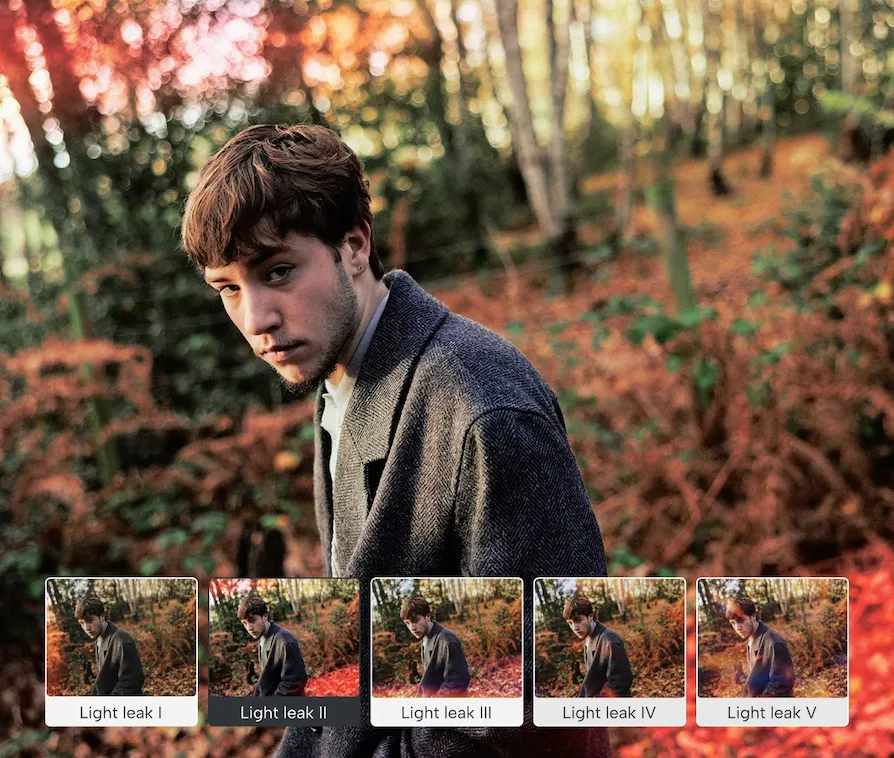
Choose from multiple built-in Light Leak styles to match the mood and atmosphere of your photo. From warm and dreamy tones to cinematic and vintage-inspired looks, Evoto makes it easy to explore different visual styles and find the look that best complements your image.

Different Light Leak effects applied to the same photo in Evoto
Before
After

Fine-Tune the Light Leak to Match Your Photo

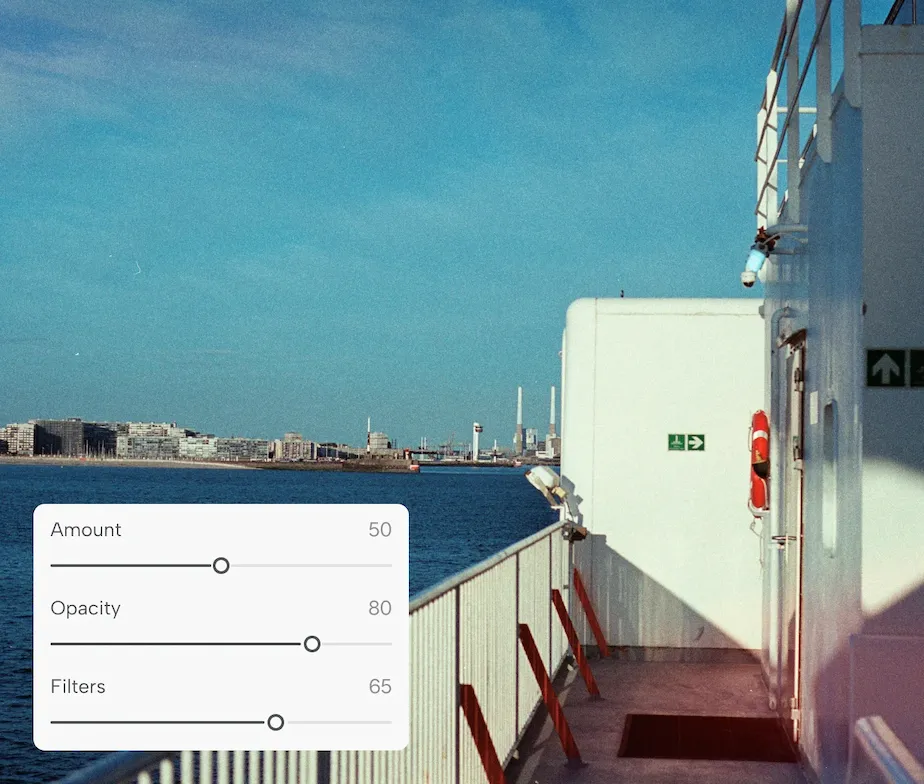
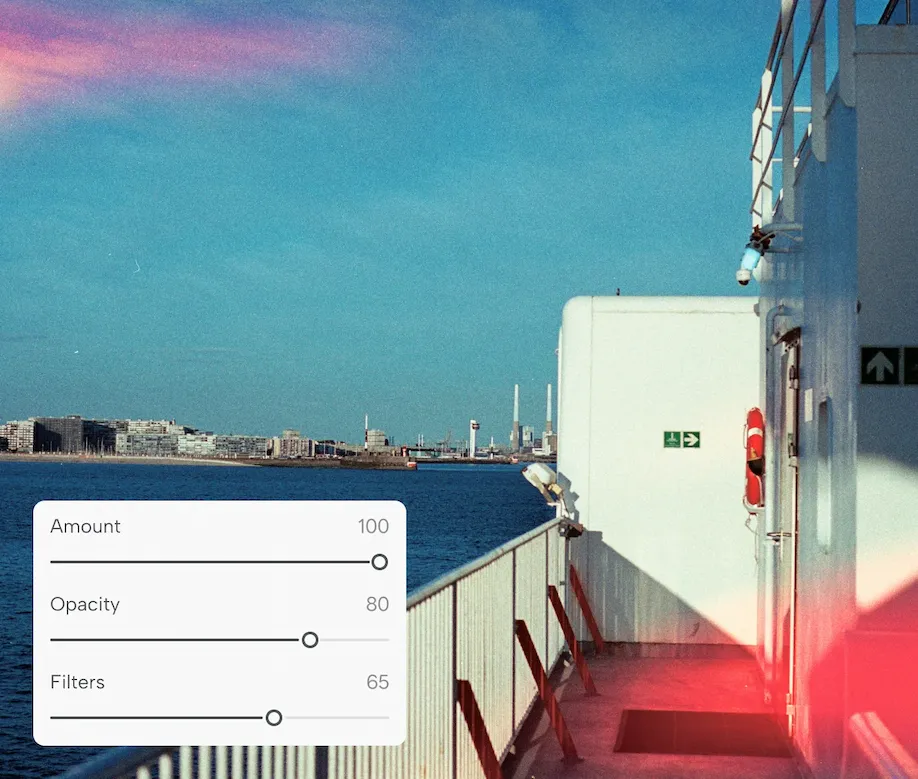
Customize your Light Leak effect with Amount, Opacity, and Filters to refine its intensity, transparency, and overall look. Adjust the settings for a subtle finish or a more noticeable effect that suits your photo.

Adjusting Light Leak settings with Amount, Opacity, and Filters in Evoto
Before
After

Light Leak Effects for Different Photography Styles

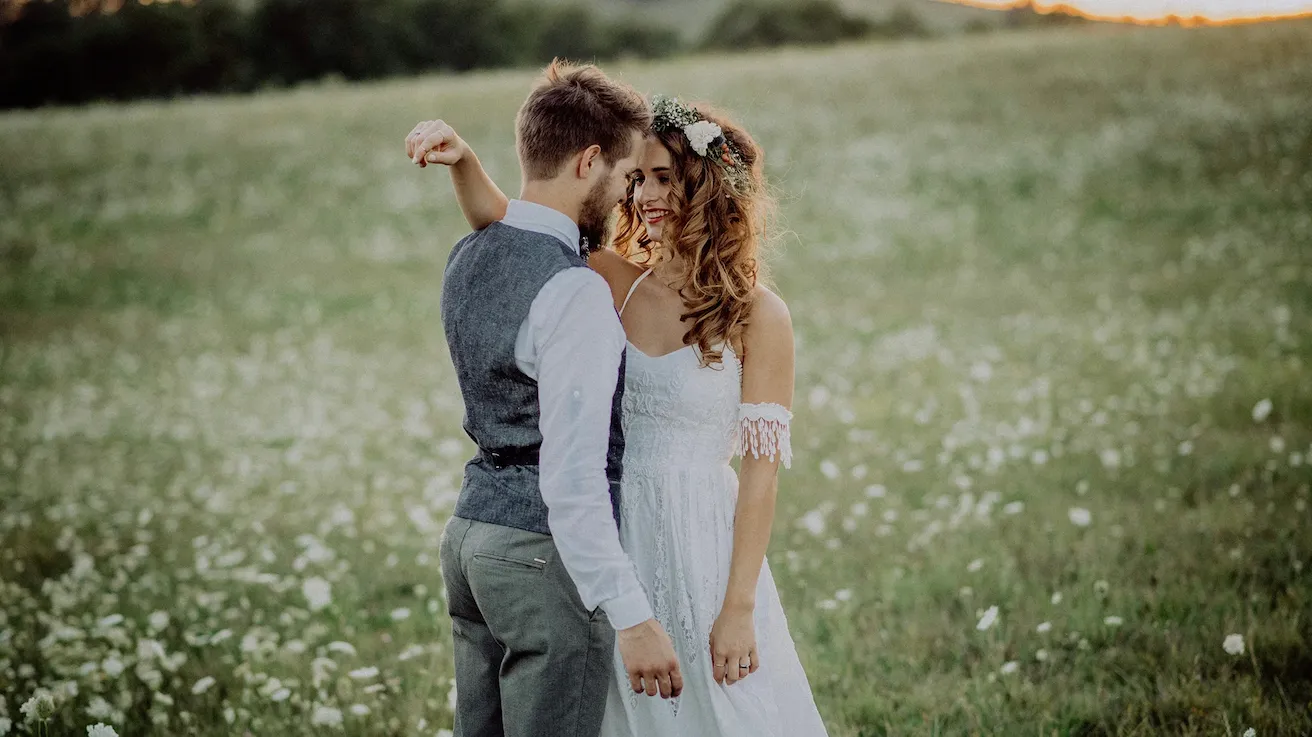
Light leak effects can add warmth, atmosphere, and visual character to portraits, wedding photos, fashion images, travel photography, and lifestyle content. They work as a creative finishing touch for professional photography projects, social media content, and creative projects.

Light Leak effects applied to portrait, fashion, and lifestyle photos
Before
After

Why Choose Evoto for Light Leak Effects

Apply light Leak effects more efficiently with Evoto. Instead of searching for external overlays or managing complex editing workflows, add the effect directly within your post-editing process.
  • Simplified Light Leak editing without overlays or layers

    Skip Complicated Overlay and Layer Workflows

    Traditional light leak editing often requires searching for overlays, managing layers, and adjusting blend modes manually. Evoto simplifies the process by letting you apply Light Leak effects directly within your photo editing workflow.
  • Natural and balanced Light Leak effect in Evoto

    Keep Light Leak Effects Natural and Balanced

    A light leak should enhance your image without distracting from the subject. Evoto gives you control over the effect, helping you create a balanced result that suits your photo.
  • Light Leak effect integrated into the Evoto photo editing workflow

    Streamline Your Photo Editing Workflow

    Add a light leak effect as part of your existing editing process instead of moving between separate tools. From color correction and retouching to creative finishing, Evoto keeps your workflow in one place and lets you apply the effect after your main edits.
  • Online photo editing with Light Leak effects in Evoto

    Edit Photos Online Without Additional Software

    Apply Light Leak effects directly in Evoto’s online editor without installing additional software. Continue editing your photos in the browser as part of your post-production workflow.

Do More with Evoto AI Photo Editor

From professional skin retouching to color grading and more, we’ve got you covered.

How to Add a Light Leak Effect to Photos

Upload a photo for Light Leak editing in Evoto
1.**Upload Your Photo**234
Upload your photo to Evoto Web Editor to start editing. Choose the image you want to enhance with a Light Leak effect.
  1. 1. Upload Your Photo

    Upload your photo to Evoto Web Editor to start editing. Choose the image you want to enhance with a Light Leak effect.
  2. 2. Apply the Light Leak Effect

    Select a light leak effect and apply it to your photo. Evoto adds the effect directly to your image, allowing you to preview the result instantly.
  3. 3. Fine-Tune the Light Leak Effect

    Fine-tune the effect with Amount, Opacity, and Filters to adjust its intensity, transparency, and overall look. Adjust the settings for a subtle finish or a more noticeable result.
  4. 4. Preview and Export

    Review the final result and make any last adjustments before exporting your edited photo from Evoto.

Faster Edits, Finer Control.

Add warmth, atmosphere, and creative style to your photos with a Light Leak effect.
Try Evoto and create a unique finishing touch without complicated editing.

FAQs

  • What is a light leak effect?

  • Light Leak Effect vs. Light Leak Overlay: What’s the Difference?

  • How Do I Add a Light Leak Effect to a Photo?

  • Can I Add a Light Leak Effect to Photos Online?

  • How many Light Leak effects are available in Evoto?

  • Can I customize the Light Leak effect in Evoto?

  • What types of photos work well with light leak effects?

  • Can I create a vintage or cinematic look with a light leak?

  • Do I need Photoshop or external light leak overlays?

  • How can I make a light leak effect look natural?

Last updated: 2026-09-04. Reviewed by: Evoto Product Team. Results may vary depending on image quality, lighting, subject pose, file format, and selected settings.