
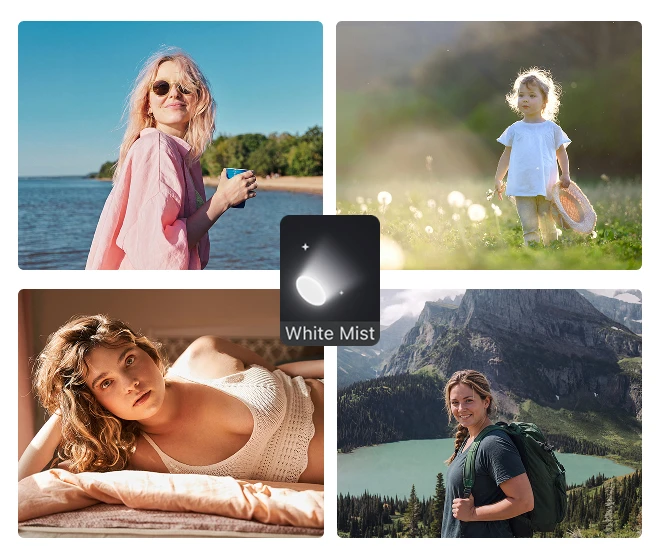
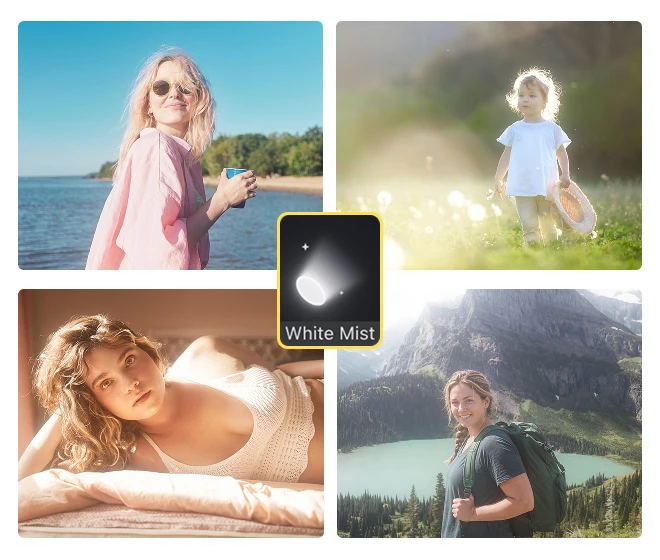
AI Glow Effect for Photos

Add glow to photos for atmospheric bloom that clients remember. AI Glow Effect by Evoto is a photo glow filter for portrait photographers. Try online, or finish on desktop.
Desktop
AI photo editor
AI photo editor
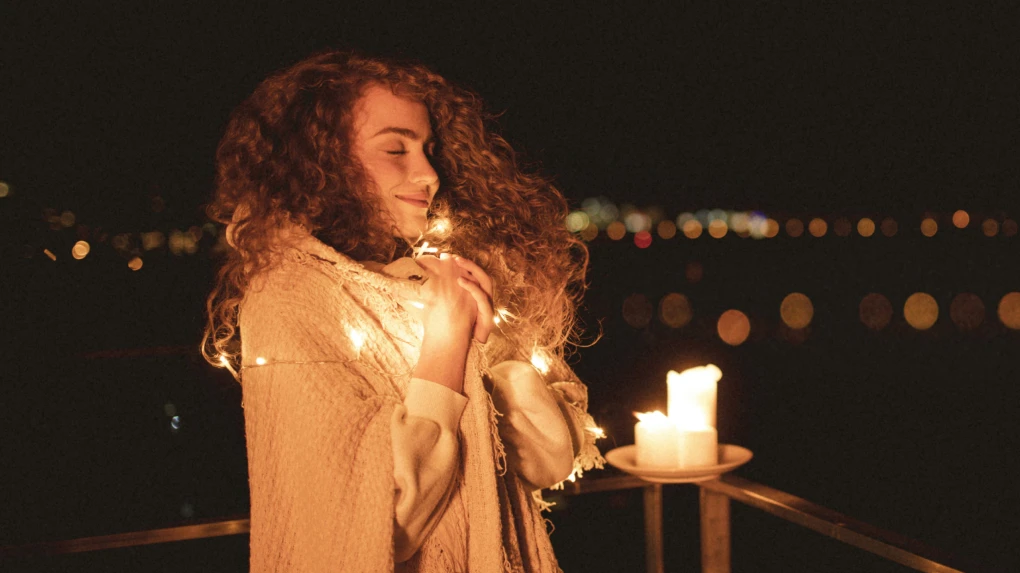
Before
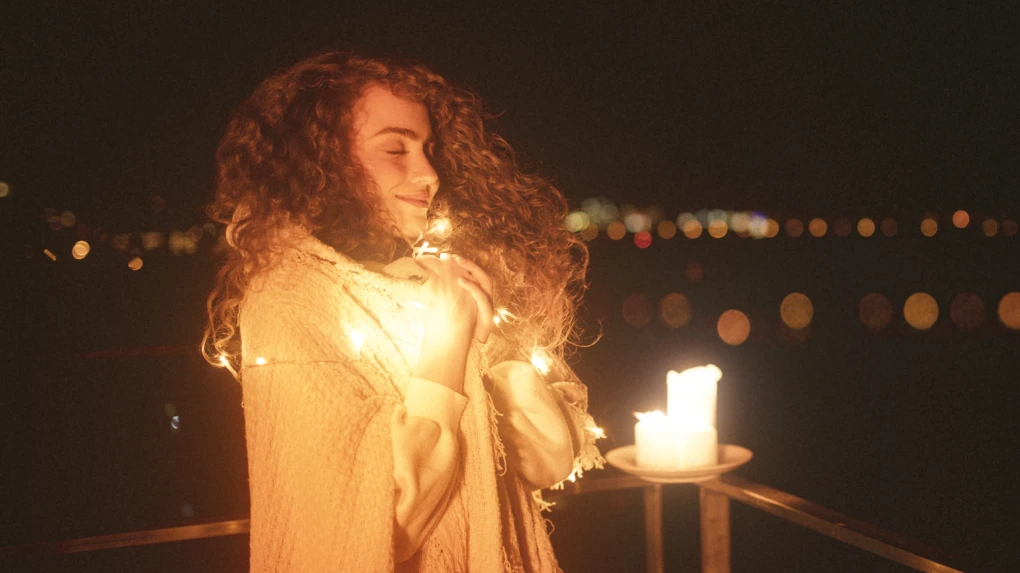
After
Evoto AI Glow Effect1
Evoto AI Glow Effect2
3

Create Dreamy Glow and Bloom Effect with AI

Hard light rarely feels album-ready on its own. AI Glow Effect brings mist, bloom, and halation into one creative effects panel for prints
and client galleries.

Film Mist and Halation Looks

Physical blackmist filter kits lock atmosphere at capture, and flat soft-glow apps miss true film halation. Use "White Mist", "Black Mist", or "Halation" styles for cinematic bloom in photos. Soft stage air, tamed spots, or lamp spill with intent. Three looks. One panel.

Desktop
White mist black mist halation AI glow effect stage spotlight styles

Tinted Bloom, Soft and True

One-strength bloom often washes a frame instead of lifting it. Color the spill with "Tint" for cool-editorial or warm-golden soft glow - tinted bloom that elevates portrait mood and color. Fashion nights lean cool blue. Late sun leans warm gold. Make the light prettier.

Desktop
Cool and warm tint AI glow effect fashion portrait

Dreamy Atmosphere for Every Story

Clients ask for glowing, dreamy filter delivery, yet one global look rarely fits a mixed gallery. Carry one glow effect mood for dreamy glow atmosphere for kids boudoir and travel stories. Shape fairy-tale children, intimate boudoir, and coastal glow portrait sets, and more. Soft where the story breathes. One mood. Many stories.

Desktop
Dreamy AI glow effect kids boudoir travel photography grid
Before
After

From Web Trial to Gallery Finish

Peak season needs one dreamy language across hundreds of frames, not one-off toy-editor exports. Add glow to an image in the browser with the same AI Glow Effect feel as desktop software. Try AI glow online then finish batch wedding galleries on Evoto Desktop. Try online. Finish the set.

Desktop
Web trial to desktop wedding gallery in batches with glow effect

The AI Glow Filter Built for Client Delivery

Shape cinematic glow effect looks without multi-hour traditional retouching stacks. Evoto handles bloom; you keep every creative and delivery decision.
Desktop
  • Skip physical mist filter kit icon

    Skip the Filter Kit

    Stop buying glass. Get mist-like or halation-like bloom in photo post-production. No physical mist filter locked at capture.
  • Simple glow slider control advantage icon

    Simple Slider Control

    Easy to dial. Simple slider control for AI glow without complex traditional stacks. Adjustable strength, low learning curve.
  • One-stop fast AI glow retouching advantage icon

    One-Stop Fast Edit

    Finish faster. One-stop fast glow retouching from style to export. One-click styles and a clear path to photo delivery.
  • Studio photo control privacy AI glow icon

    Your Files, Your Call

    Studio control first. Keep client portraits in your workflow. Evoto is built for professional delivery, not mystery queues.

How to Add AI Glow Effect to a Photo with Evoto

Step 1 open AI Glow Effect Creative Effects panel Desktop
1.**Import and Open Creative Effects**234
Import your photo in Evoto Desktop. Open "Creative Effects" and select "Glow Effect". The canvas loads with Before/After ready for your frame.
  1. 1. Import and Open Creative Effects

    Import your photo in Evoto Desktop. Open "Creative Effects" and select "Glow Effect". The canvas loads with Before/After ready for your frame.
  2. 2. Pick a Style and Density Preset

    Choose "White Mist", "Black Mist", or "Halation". Tap 1/8, 1/4, or 1/2 for a quick density start, then watch highlights bloom in the Before/After split.
  3. 3. Fine-Tune Bloom and Tint

    Adjust "Intensity", "Radius", and "Threshold" so bloom stays on highlights. Optional: set "Tint", preview with "Show Glow Mask", then refine "Exposure" and "Diffusion" until the frame feels balanced.
  4. 4. Export Your Photo

    When the look feels right, click "Export" to download the finished glow image in your usual delivery format for client handoff.

    Pro Tip: Need batch? Prefer Desktop over Web Editor. Use "Save Preset" to reuse the grade, or "Sync" across matching frames in a wedding or event set. Optionally add "Post-Crop Vignetting" after glow for a cinema edge.

Faster Edits, Finer Control.

Retouch your photos with Evoto AI Glow Effect today. Available for Windows, macOS, and Web.

Desktop

FAQs

  • What is a glow effect in photo editing, and how does Evoto add glow to a photo?

  • What's the difference between a glow effect and outer glow on a photo?

  • How is digital Black Mist different from a physical blackmist filter on a lens?

  • When should I use White Mist vs Black Mist vs Halation?

  • What's the difference between bloom effect and soft glow in Evoto?

  • Should I use Evoto AI Glow or a traditional editor for a glow effect?

  • Can I get a soft glow portrait without looking over-processed?

  • Can I try AI Glow Effect on the Web, and when should I use Desktop?

  • Does Evoto use my photos to train its AI, and how is my data protected?

  • Can I combine AI Glow Effect with Post-Crop Vignetting or color grading?

Last updated: 2026-08-12. Reviewed by: Evoto Product Team. Results may vary depending on image quality, lighting, subject pose, file format, and selected settings.