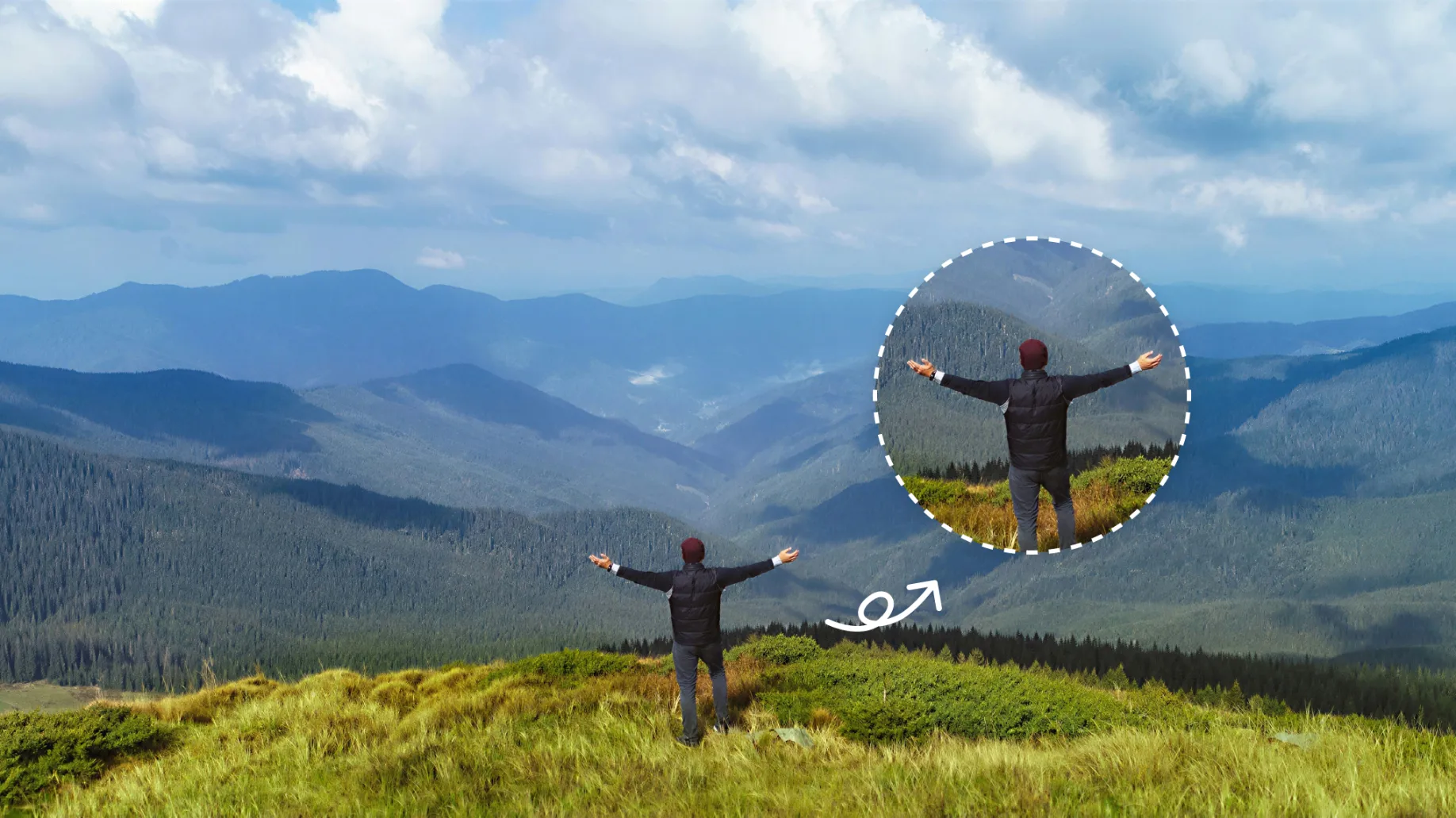
Depixelate photos without the blocks. Use Evoto depixelate image tools to remove pixels for clean edges and restore texture for print and screen. Rescue your compressed portraits before the deadline.
Rebuild a favorite shot when compression turns it into a grid. Unpixelate image repair brings hair, type, and fabric back into focus.
Unpixelate Blocky JPEG Photos
Restore concert or event JPEGs that tile the moment you zoom. Depixelate image edges and remove pixelation so banners, lights, and crowd outlines read clean. Fix pixelated image files from group chats and stay ready to post. Share the night, not the grid.
Choose print-ready output after you unpixelate image squares. Album covers, lookbooks, and shop hero shots keep extra crop room. Large-format files hold up on a wall and in print. Delivery size matches the job.
Keep knit, lace, and flyaways readable after depixelate image fixing. Fashion closeups and beauty crops hold pores, weave, and hair. Portraits stay away from making faces look fake. Natural texture is the point.
Rescue yearbook scans that mosaic on zoom. Restore a family smile with depixelate image repair so relatives still recognize the moment. Unpixelate image files from dusty albums come back into focus. Old prints deserve a clean look again.
Click "Upload Image" and drop in the photo that looks tiled when you zoom. JPG, PNG, and WebP files work for the pixel removal, with a longest edge up to 6K.
Under "Output Resolution", choose "2K", "4K", or "6K" for print, crop, or screen. Estimated output shows the new size so the unpixelated image file matches the job.
Click the "Generate" button and watch the canvas switch from tiled to clean. Check the Before/After view, then use the "free download" when the unpixelated image edges look right.
For a full set, open Desktop "AI Lab", then "Enhance & Restore", then "Detail Enhance". Resolution Upscale includes "No Upscale" when the size is already right. Batch the same depixelated image fixing with other AI Lab tools.
1. Upload a Pixelated Photo
Click "Upload Image" and drop in the photo that looks tiled when you zoom. JPG, PNG, and WebP files work for the pixel removal, with a longest edge up to 6K.
2. Choose Output Resolution
Under "Output Resolution", choose "2K", "4K", or "6K" for print, crop, or screen. Estimated output shows the new size so the unpixelated image file matches the job.
3. Generate and Compare
Click the "Generate" button and watch the canvas switch from tiled to clean. Check the Before/After view, then use the "free download" when the unpixelated image edges look right.
4. Batch the Rest in Desktop
For a full set, open Desktop "AI Lab", then "Enhance & Restore", then "Detail Enhance". Resolution Upscale includes "No Upscale" when the size is already right. Batch the same depixelated image fixing with other AI Lab tools.
What does it mean to unpixelate image or depixelate image files?
A
Unpixelate image and depixelate image describe the same job. Clear the mosaic look on pixelated images and restore edges you can read. Hair, type, and fabric come back into focus. Yellowing, scratches, fading, and colorization are separate restoration steps in Evoto. Photographers also ask how to fix pixelated photos from family albums.
Q
How is "unpixelate image" different from image upscaler, image enlarger, unblur image, and photo enhancer?
A
Unpixelate image repairs the grid you can see. Image Upscaler and Image Enlarger make a small file larger. Unblur Image treats softness, motion blur, and misfocus. Photo Enhancer lifts overall look. Old Photo Restoration handles yellowing and scratches. The job here is still pixel removal.
Q
What is the difference between 2K, 4K, and 6K output?
A
Web output offers 2K, 4K, or 6K and shows an estimated size. Files already at 6K stay at that long edge. Evoto Desktop's "Detail Enhance" offers "No Upscale" when the file is already large enough. Match print, recrop, or screen after depixelate image editing. Let the unpixelate image size follow the delivery.
Q
My photo is blurry, not blocky. Should I unpixelate it?
A
Use image pixel remover tools when you see a mosaic or JPEG grid. Send soft blur and motion trails to an unblur image tool. Pixelated vs blurry photo, which tool? Zoom in. Grids belong here. Unpixelate image editing is for tiles you can count.
Q
Does unpixelating recover the original pixels?
A
Depixelate image models rebuild a believable look from pixels still in the file. Treat the result as a delivery repair, not a recovered camera file. Keep the source if you need the original. Treat the unpixelated image result as a new, usable version.
Q
Can I unpixelate a censored or mosaic face?
A
Use remove pixelation tools on photos you own that lost quality in compression or resizing. Run depixelate image tools on compressed working files, not on censored or mosaic faces. Censored mosaics sit outside ethical retouching. Work only with files you have the right to edit.
Q
Will pixel remover make faces look fake?
A
Review portraits at full size so skin and hair still feel like the person. Full-size review helps you avoid making faces look fake. Desktop's "No Upscale" can unpixelate image texture when the file is already large enough. Stop when the sitter still looks like the sitter.
Q
Are my photos private, and does Evoto train AI on uploads?
A
Process uploads on encrypted servers, then delete them. Evoto states that your content is not used to train generative AI models without explicit opt-in. Protect data privacy for professional photographers under the Privacy Policy. Keep depixelate images under your direction.
Q
How Should I use AI photo repair ethically?
A
Practice ethical AI in professional retouching. Run pixel remover only on photos you own or may edit. Keep a repaired result honest as a retouched version, not as the original camera file. Follow client consent and local law. Disclose AI repair when a client requires it.
Q
Is unpixelate image free, and does Evoto add a watermark?
A
Try unpixelate image online with 3 free generations, then credits apply. Desktop is built for professional retouching, RAW files, and batch work. Web and Desktop both export with no watermark. Depixelate image stay clean for client delivery.
Last updated: 2026-06-11. Reviewed by: Evoto Product Team. Results may vary depending on image quality, lighting, subject pose, file format, and selected settings.