


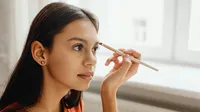
AI Eye Editor: Brighten, Sharpen, Perfect

Brighten, reshape, and stylize eyes in seconds. Natural, pro-level results—no manual editing required.

Evoto AI Eye Editor
bride eye retouching
Before
After
Upload Image
* JPEG, JPG, PNG or WebP image allowed.
No image? Try one of these
Evoto AI Eye Editor
eye brighten
Upload Image
Free to try. Pro Editing at Your Fingertips.
Download Now
Buy Now
Buy Now

All-in-One Eye Editing: Enhance & Stylize

Brighten, sharpen, reshape, or add makeup, all in a few clicks. Evoto’s AI Eye Editor gives you full control for natural, professional results, no manual work needed.

Intelligent Eye Enhancements

Let your eyes shine. Evoto’s AI detects and enhances the iris, sclera, and catchlights with natural precision—no manual masking needed. Instantly brighten, sharpen, and add clarity for eyes that truly captivate.

Eye enhancements before
Brighten Eyes in Photo
Before
After

Natural Correction, No Over-Editing

Fix dark circles, eye bags, and red-eye without compromising skin texture. Our smart algorithms smooth and correct only what’s needed—keeping every portrait looking authentic and emotionally engaging.

Eyes Retouching
Eyes wrinkle remover
Before
After

Adjust Eye Shape & Balance

Subtle tweaks, powerful impact. Easily refine eye size, shape, and symmetry with intuitive sliders. Balance facial proportions or bring out expression, all while maintaining a natural, unretouched feel.

Adjust Eye Shape in Photo
Adjust Eye Shape in Photo & makeup
Before
After

Creative Color & Makeup Effects

Transform eye color or apply virtual makeup with pro-level control. From soft browns to vivid greens—or a dramatic lash lift—Evoto makes beauty edits easy, customizable, and completely non-destructive.

Eye Color Editor
Eye Color changer
Before
After

Why Still On the Fence?

We get it. Sometimes you just gotta try it out for yourself.

  • Efficient eye retouching

    Fast, Flawless Results

    One-click edits reduce hours of manual work—ideal for batch processing or fast client delivery.

  • Powerful AI eye editor

    Effortless Pro Quality

    AI precisely detects eye zones and adapts to different lighting and angles for consistent output.

  • All-in-One Eye Editing

    Full Creative Control

    Fine-tune every aspect—iris color, shape, brightness, and makeup—with total flexibility and precision.

  • Pro eye editor

    Smooth Editing Flow

    Evoto streamlines everything from tethered shooting to batch edits, keeping your creativity flowing.

Do More with Evoto AI Photo Editor

From professional skin retouching to color grading and more, we’ve got you covered.

How to Use AI Eye Editor in Evoto

Uploading a photo into evoto
1.Import Photos234

Click “Import” to upload your image. Evoto supports RAW, TIFF, PNG, JPG, and more, ideal for high-quality edits.

  1. 1. Import Photos

    Click “Import” to upload your image. Evoto supports RAW, TIFF, PNG, JPG, and more, ideal for high-quality edits.

  2. 2. Open the Eye Editor

    Navigate to the “Portrait Retouching” panel and select “Eyes.” Use intuitive sliders to adjust brightness, enhance catchlights, or remove red-eye instantly.

  3. 3. Sync Edits Across Multiple Photos (Optional)

    Want a consistent look? Select additional images and apply your edits in one go using Batch Sync.

  4. 4. Save the Results

    Once you’re satisfied, click “Export” to save your edited photos directly to your Mac, Windows, or iPad device.

Faster Edits, Finer Control.

Transform your photos with Evoto AI Eye Editor today. Available for Windows, macOS, and iPadOS.

FAQs

  • Can I change eye color naturally with Evoto?

  • How can I enhance my eyes in a photo?

  • Does it support makeup editing for eyes?

  • How do I fix red-eye with Evoto?

  • Can I edit each eye separately?

  • Will my edits look natural?

  • Is manual masking required?

  • Is the Eye Editor available on all platforms?

  • Can I use Eye Editor in batch mode?

  • Is the Evoto eye editor compatible with different image formats?