Edit RAW photos, batch-process images, and streamline your workflow.Download Evoto

Circle Crop Image Online

Crop a photo into a circle online for free. Adjust the framing and download your finished image with no watermark.
Crop images into a circle online for free
Upload Image
* JPEG, JPG, PNG or WebP image allowed.

Private processing · Preview without signing up

No image? Try one of these
Crop images into a circle online for free
Upload Image
New users get 3 free HD exports
buy now
buy now

Crop a Photo into a Circle

Turn any photo into a circle, move it into place, choose a size, and download the result.

Start with the Circle Preset

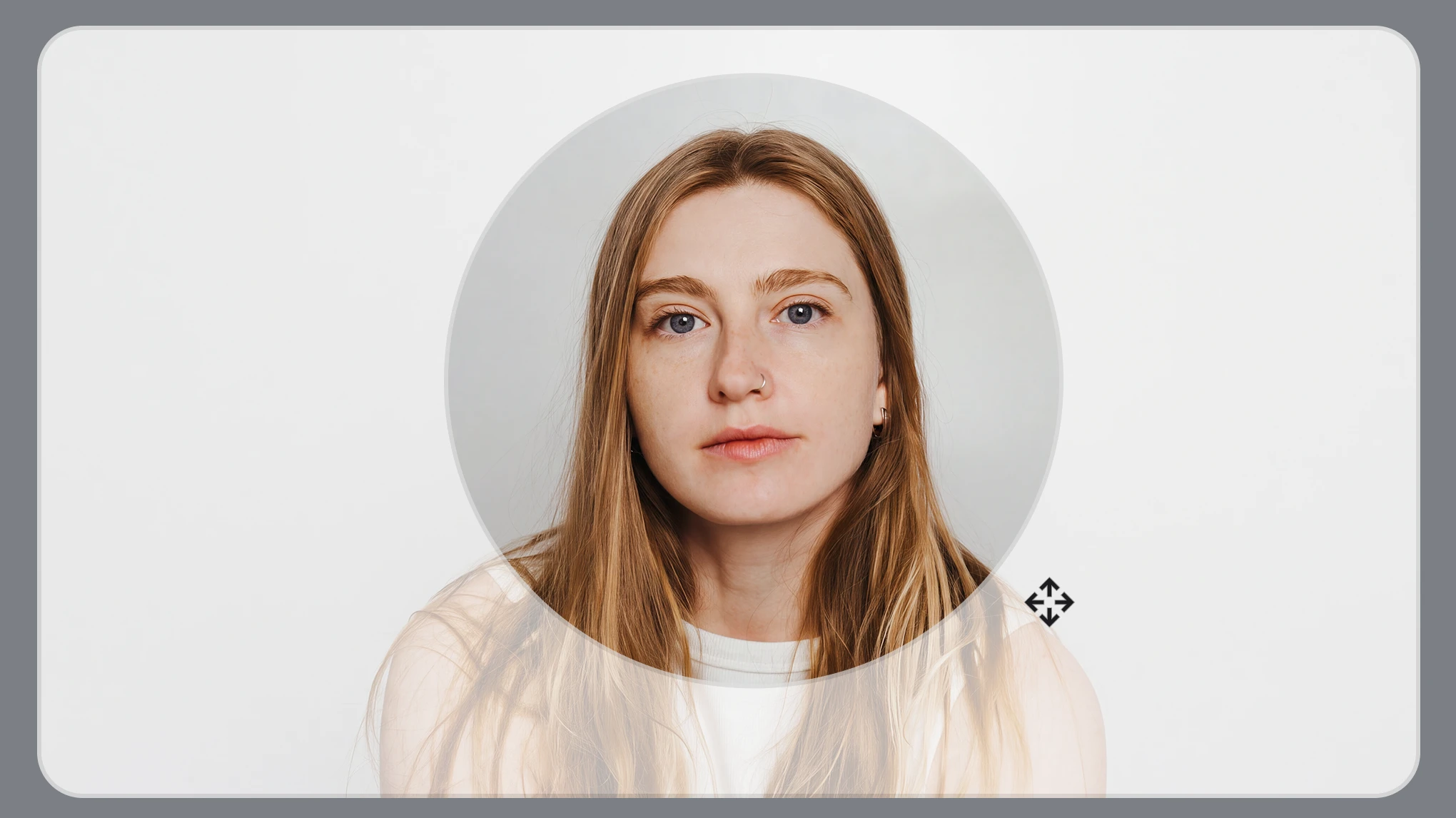
Pick the circle preset and get a clean round crop in one click. No extra layers needed. It works for anything—a face, a product, or a logo. Export at the original quality, with no watermark and no extra compression.

Circle Crop Image Online Free

Get the Framing Just Right

After the circle is on the photo, drag to reposition the image, zoom in or out, and rotate or flip it until the composition looks right. Use undo or reset anytime, with smooth edges that keep the circle crop clean.

After a circle crop, the photo can be moved, zoomed, rotated, or flipped inside the frame.

Create Profile Photos, Headshots, and More

Make polished circle crops for profile photos, professional headshots, team pages, logos, packaging, social posts, posters, and thumbnails. Leave enough space around the subject so important details stay in frame.

Make polished circle crops for profile photos

Crop Images to More Sizes

Choose a ready-made size for Instagram, LinkedIn, ID photos, and more. Select a preset and your image adjusts to the right dimensions automatically. You can also straighten a tilted photo or enter a custom size when needed.

Image crop sizes for an ID photo, a social post, and a straightened photo.

Why Circle Crop in Evoto

Keep your photos private, keep the original quality, and download your circle crop with no watermark.
  • A client photo circle cropped in the Evoto desktop app, with the file kept on the computer.

    Security and Privacy

    We prioritize your security and privacy when you circle crop. Your data is encrypted, and Evoto never accesses or shares your photos without explicit permission.
  • A circle-cropped photo exported at the original resolution, with a smooth edge and no watermark.

    High-Quality Results

    The crop uses the image you upload as its source, with anti-aliased edges for a smooth circular outline. Your downloaded image has no watermark.
  • Circle crop opened free in the browser, from the upload through to the download.

    Free Online

    Circle crop is free online. Open the page, drop in the photo, and drag the circle into place. There is nothing to install, and you can download it in a few steps.
  • School and commercial headshots batch cropped to the same size in the Evoto desktop app.

    Batch Crop on Desktop

    Need to crop a full set? Download Evoto Desktop to apply the same square crop across multiple photos at once. Batch circle cropping is not currently supported.

How to Crop a Picture into a Circle

Upload screen for a photo that will be circle cropped.
1.**Upload the Photo**234
Open circle crop and drop in a JPG, PNG, or WebP. A square headshot is the easiest start. One image is enough to try it online.
  1. 1. Upload the Photo

    Open circle crop and drop in a JPG, PNG, or WebP. A square headshot is the easiest start. One image is enough to try it online.
  2. 2. Frame the Circle

    Drag to move, reposition, or pan the photo, then zoom inside the circle. Rotate or flip it until the subject fills the frame.
  3. 3. Download the Cropped Image

    Download the circle-cropped photo at the original resolution, with no watermark. The picture inside the circle is the one you framed.
  4. 4. Match the Rest of the Set

    Got a full headshot sitting? Move to the Evoto desktop app, set one square crop, and run it across the gallery—same frame on every face, export the set in one go. Built for school portraits, commercial headshots, and team pages.

Circle Crop Your Next Photo with Evoto

Crop your image into a circle in just a few clicks. Upload your photo and get started now.

FAQs

  • How do I crop an image into a circle?

  • How do I make a circle profile picture?

  • Does circle crop change the background?

  • Does a circle crop change the size or quality?

  • What image formats can I circle crop?

  • Can I circle crop on my phone?

  • Are client photos uploaded when I circle crop?

  • Can I circle crop a batch of headshots to the same size?

  • How is this different from circle crop in Canva?

  • Which social media platforms display profile pictures as circles?

Last updated: 2026-11-06. Reviewed by: Evoto Product Team. Results may vary depending on image quality, lighting, subject pose, file format, and selected settings.