Volume Pressure
You shoot back-to-back classes from first bell to last. Each student expects a sharp keeper before the line moves on.Group Shot Risk
One blink in a class or ensemble frame can force a gym-floor reshoot. Schools rarely schedule a second group session.Consistency at Scale
Principals and yearbook advisers expect the same skin tone, crop, and backdrop color across every grade in the job.Tight Delivery Windows
District contracts often require online galleries or print files within days. Manual edits on every school photography file do not scale.
School Photography Editing: End-to-End, at Studio Scale
Evoto photo editing software for yearbook and school photography. Graduation sessions, yearbooks, sports, and K-12 picture days — AI workflow from cull and retouch to crop at scale. One app, one click.
What Makes School Photography So Hard to Scale?
You deliver hundreds of school photos per school day. Every portrait needs uniform quality, and you need the workflow fast.
AI Culling for School Volume Shoots
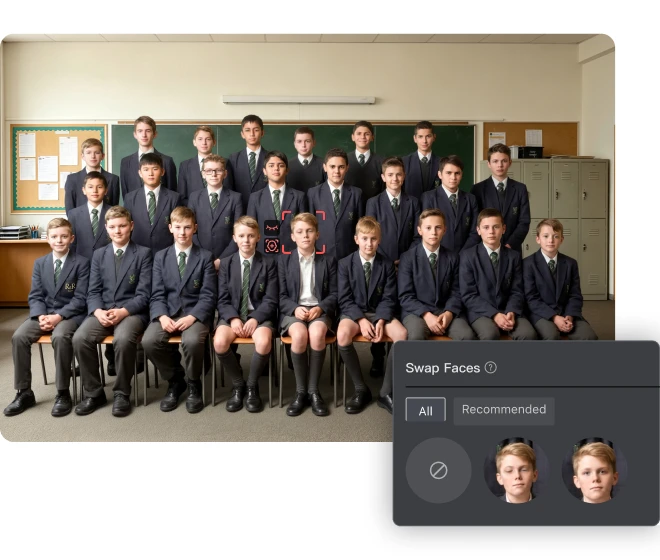
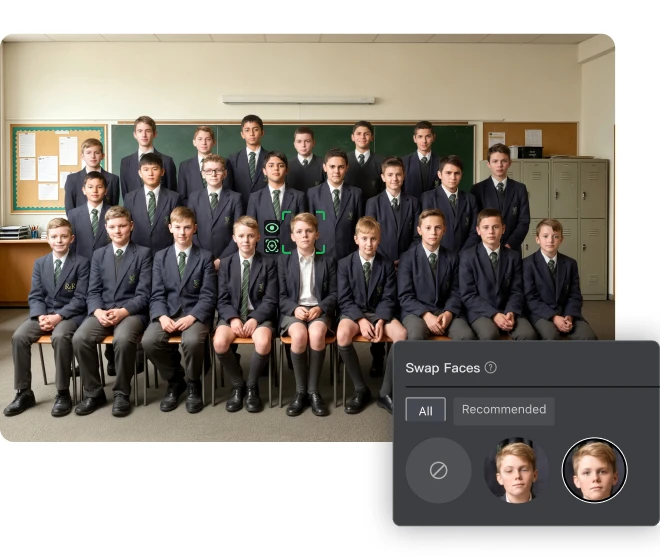
Cut review time on school picture day folders. One click to pick the sharpest expression from long bursts without hand-clicking every frame. Flag blur and closed eyes before you edit a full grade. Group near-duplicates so each student gets one keeper for yearbook photos and ID packages. Fix class and ensemble groups when one blink ruins the shot. Blend better faces from the same session with "Perfect Shot" — no group reshoot. Best frame. Every time.
Detail Across Every School Portrait
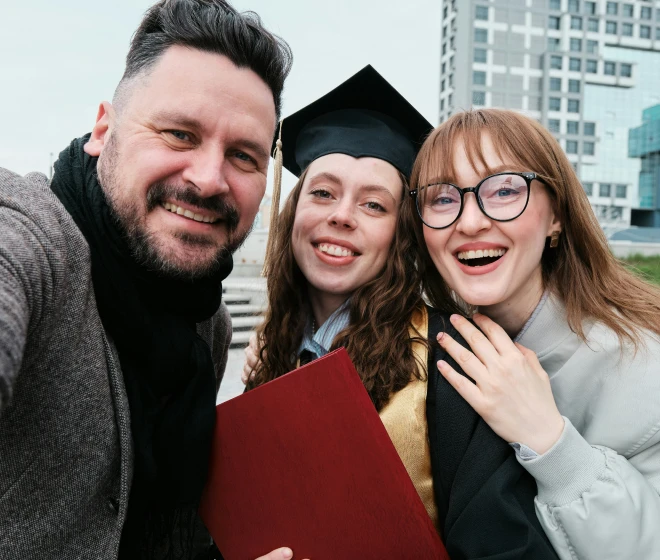
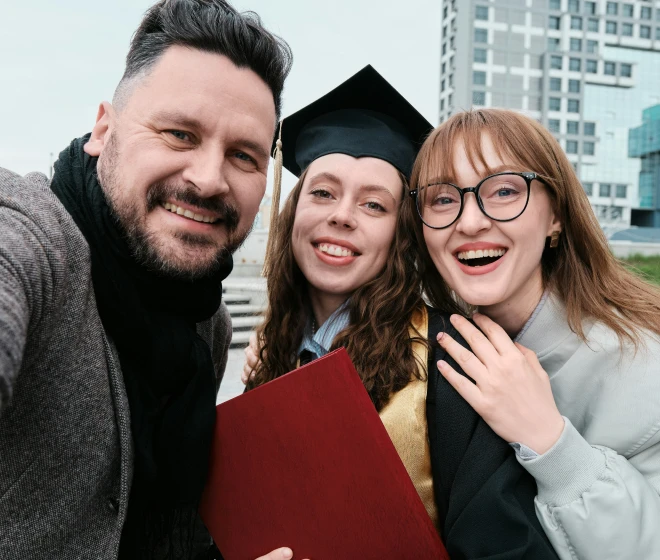
Keep eyes visible when teachers and students pose together in glasses. Remove harsh lens glare in faculty-student anniversary and award photos. Run batch portrait skin retouching for high-volume school sessions so mixed-age groups look polished in one pass. Clean stray hair on indoor assembly shots and match the same student portrait retouching standard across the job. Ship composites principals expect — no retake for glasses wearers. Clear eyes. Trusted faces.
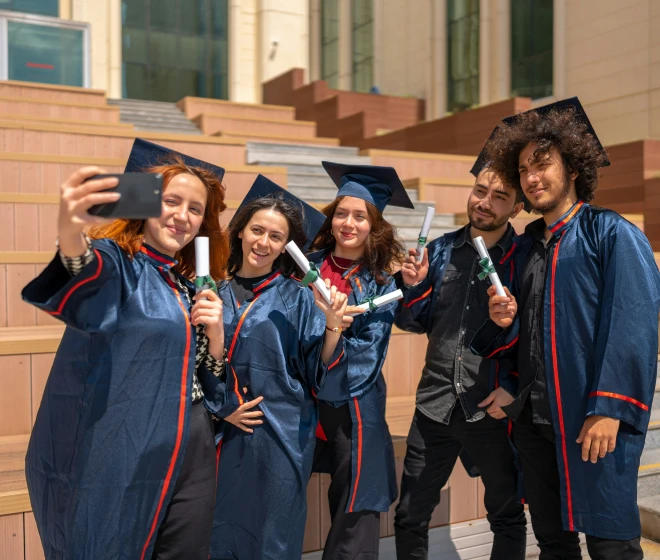
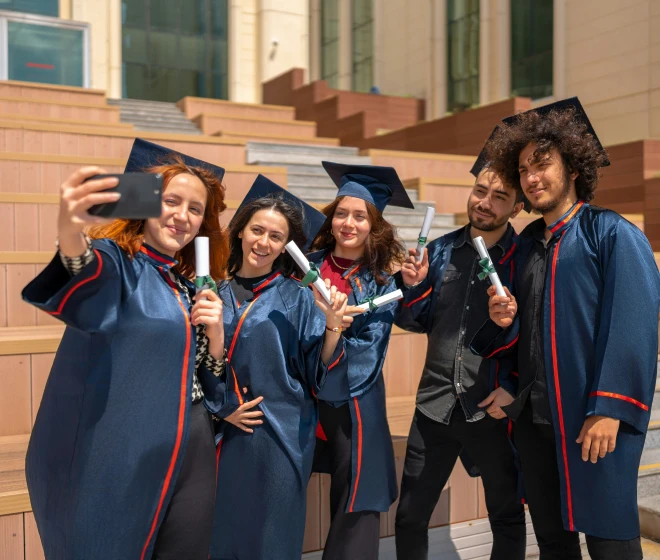
Neat Gowns for Graduation Day
Present graduates in smooth caps and gowns when fabric creases show under gym lights. Flatten gown folds with "De-wrinkle" tool on senior portrait day or other school photography. Lift commencement packages where satin wrinkles between poses. Apply the same cleanup to students and teachers in formal wear. Give yearbook staff school photos that look studio-finished, not rushed. Gowns sharp. Moments intact.
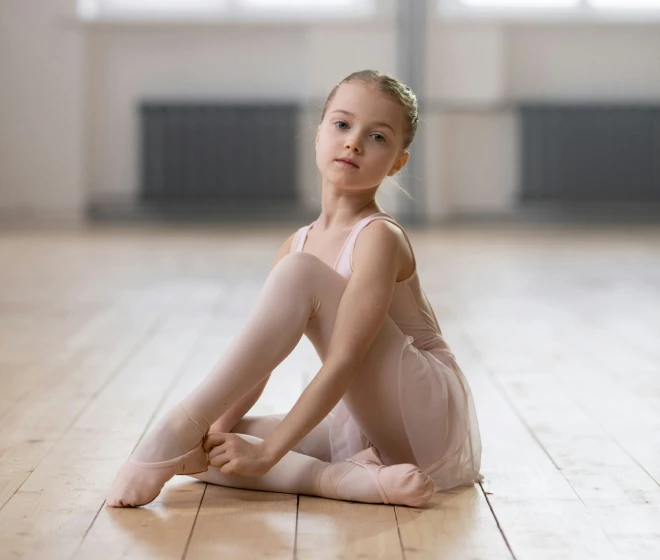
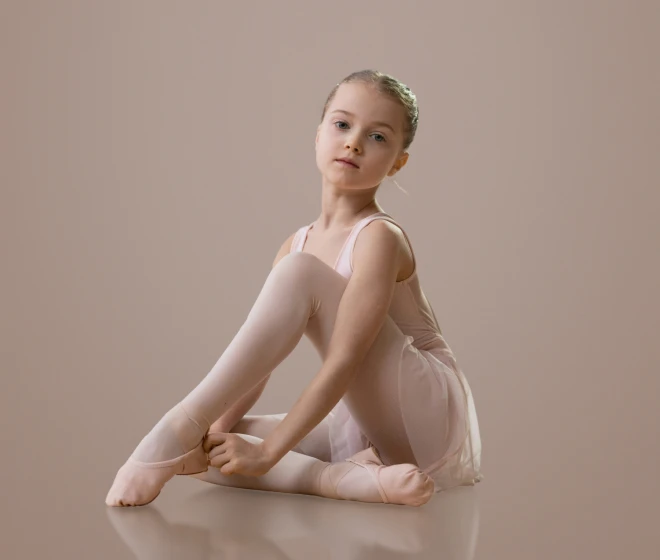
Studio Backdrops for School Portraits
Give music and stage portraits believable floor depth — not a flat white-paper cutout. Replace plain seamless with school-brand colors for recital and music-program packages. Add floor reflection and contact shadows under stage-style lighting. Sell premium performance portraits parents frame at home. Skip reshooting when the pose is right but the floor looks empty. Studio depth. Stage-ready delivery.
Themed Scenes for Team Portraits
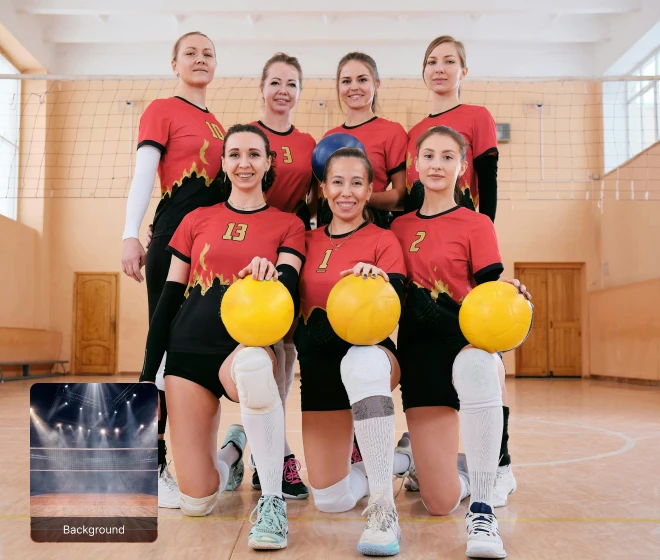
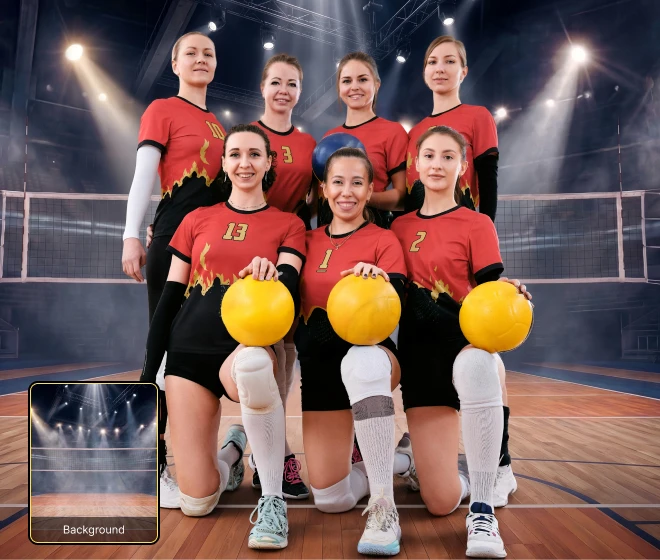
Package indoor sports teams with a full gym or court scene — not a gray paper sweep behind twelve jerseys. Drop team lineups into ready-made sports environments with matching light on faces and uniforms. Layer optional foreground elements for banquet programs and league memory books. Harmonize skin tone so composites look shot on location, not pasted. Offer upgrade packages for basketball, volleyball, and cheer teams. Full scene. Team pride visible.
Uniform Yearbook Headshot Crops
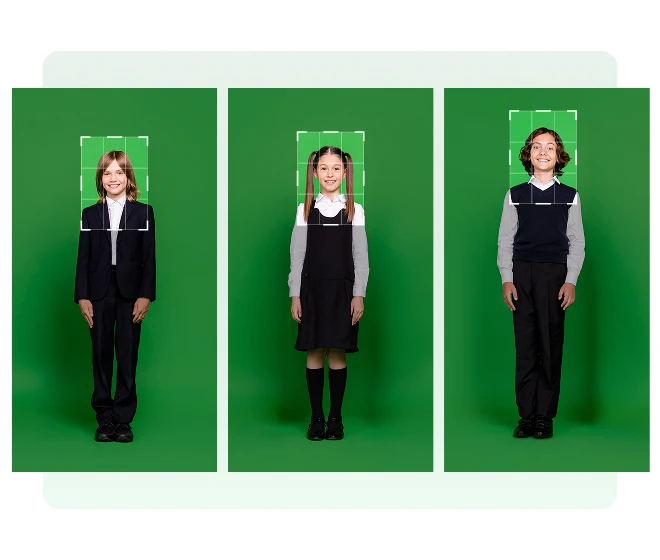
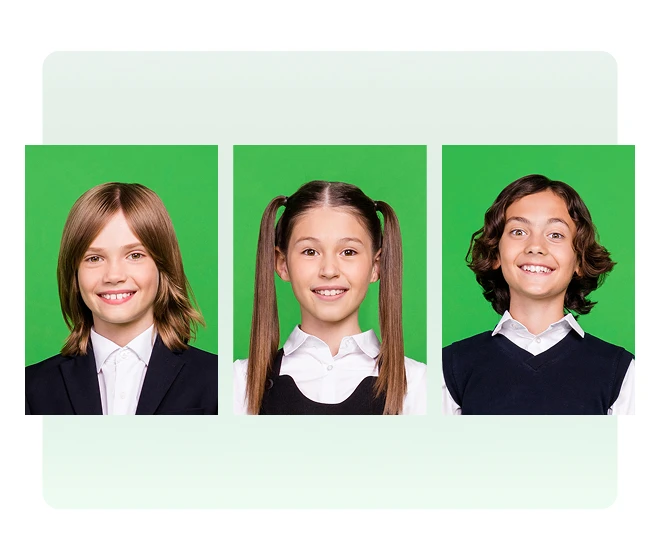
One click to align hundreds of faces to one yearbook grid without measuring each file by hand. Detect face position across a grade and apply one head-size rule. Match publisher safe zones for yearbook pictures and student ID templates. Use automated headshot cropping for school picture day on lines that never pause between classes. Export print-ready sizes from one preset. One ratio. Whole grade aligned.
Practice Workflow for School Photography with Evoto
1
Step 1. Tethered Shooting
2
Step 2. Photo Culling & Perfect Shot
3
Step 3. Portrait Retouching
4
Step 4. Background Editing
5
Step 5. Batch Cropping
Step 1. Tethered Shooting
Connect your camera in the "Tethering" panel while shooting the student's portrait set (e.g. concert or music program station). Frames from the same session import live into one Evoto project folder.
Practice Workflow for School Photography with Evoto
1
Step 1. Tethered Shooting
Connect your camera in the "Tethering" panel while shooting the student's portrait set (e.g. concert or music program station). Frames from the same session import live into one Evoto project folder.
2
Step 2. Photo Culling & Perfect Shot
Cull the student's burst with "Culling" panel in "Library", then fix a class or ensemble group from the same picture-day with "Perfect Shot" if one expression failed.
Run "Smart Culling" on the project containing the students to auto group those with closed-eyes, blur, and more. Pick the keeper frame for editing in Steps 3-5.
- Open "Culling Preferences" to preset your culling rules.
- Open "Culling Preferences" to preset your culling rules.
- Compare frames before you move on. And reject blur, overexposure or other bad cases on the selected file only.
3
Step 3. Portrait Retouching
Go to "Edit" and retouch the same portrait file through four passes before background work.
In "Portrait Retouching" → "Skin Retouching", set the sliders on the selected file. Save a preset or sync the edits for the rest of the portrait batch.
4
Step 4. Background Editing
Finish the same hero music-performance file — choose Path A or Path B depending on the school's package. Path A = backdrop swap plus depth. Path B = full scene composite. Do not run both on the same deliverable unless the product flow requires it.
Expand the "Backdrop Changer". Replace the messy background with the school's music-program color or concert-portrait backdrop. After this, you can add more elements you need, like changing the background size, adding shadow or floor reflection.
- Add Shadow: On the same file, click "Add Shadow" with the "Soft" preset so the subject sits naturally on the new surface.
- Add Shadow: On the same file, click "Add Shadow" with the "Soft" preset so the subject sits naturally on the new surface.
- Floor Reflection: Enable "Floor Reflection" so the student reflects on the new floor.
5
Step 5. Batch Cropping
Crop the finished portrait file (after Step 3 and your chosen Step 4 path) in "Crop & Rotate". Use "AI Locate" → "Face" to set head position and margins to the program or yearbook spec, then click “OK” to apply the edits. Set the edits as a preset or sync the edits to the rest of the batch in that folder.
Do More with Evoto AI Photo Editor
From professional skin retouching to color grading and more, we’ve got you covered.
Explore School Photography in Depth
FAQs
How do I batch edit student portrait photos in Evoto?
Can Evoto handle a full school day shoot of 500+ students?
What is the difference between Backdrop Changer and AI Background Fusion for school portraits?
Is it safe to process children's photos with Evoto?
Does AI make editing decisions for me, or do I stay in control?
Does Evoto work on Mac and Windows? Is RAW supported?
Last updated: 2026-06-04. Reviewed by: Evoto Product Team. Results may vary depending on image quality, lighting, subject pose, file format, and selected settings.