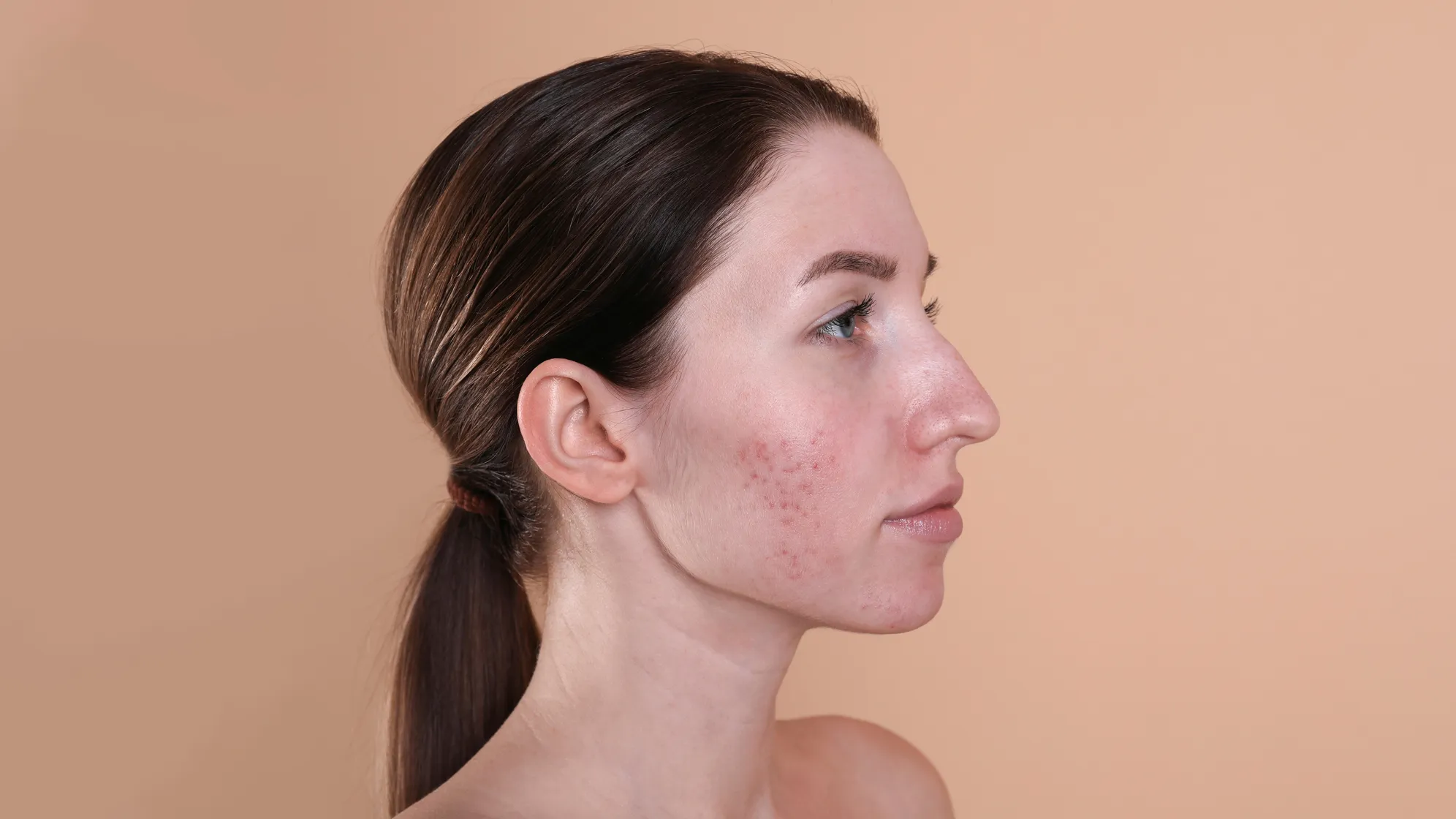
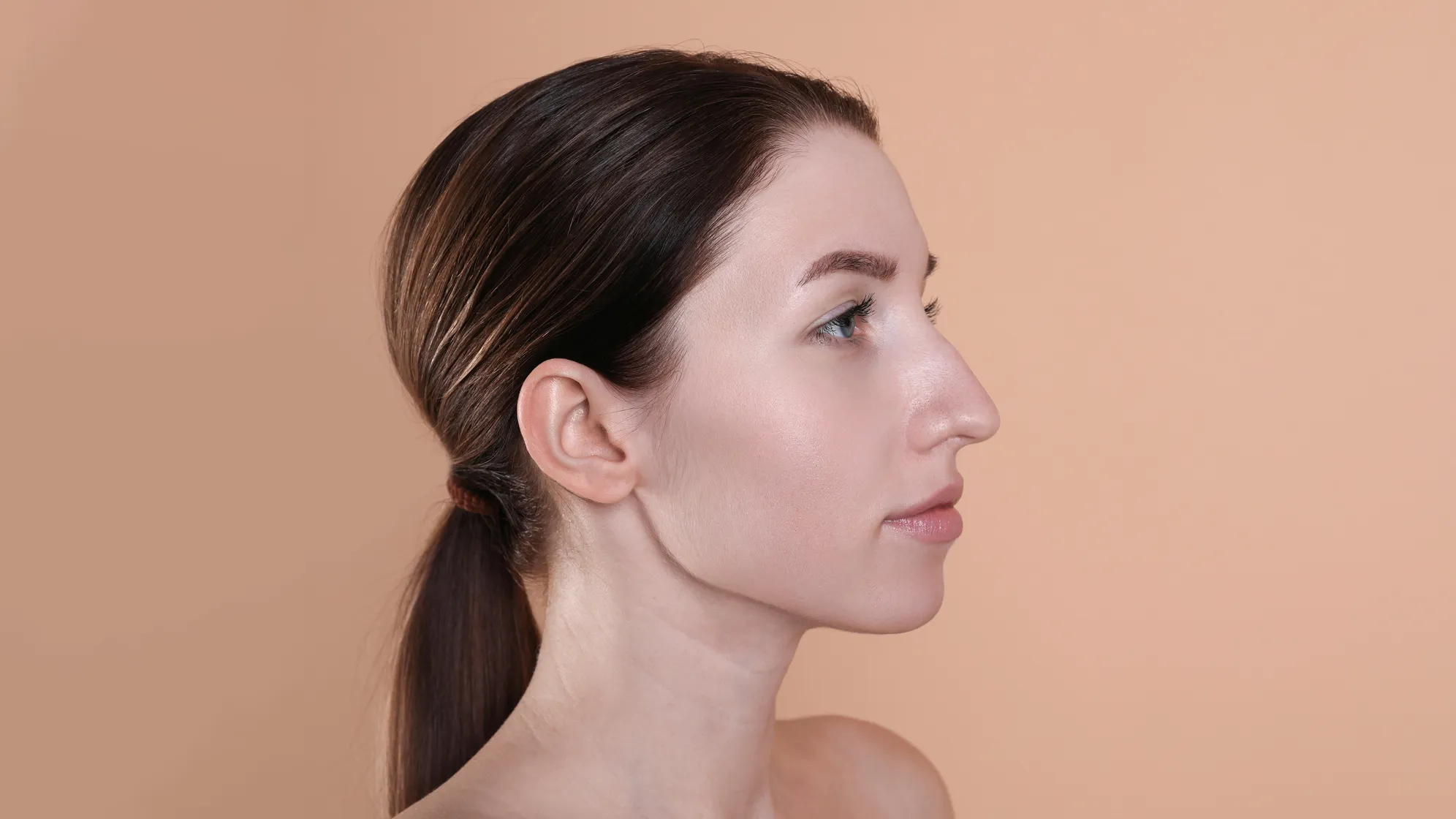
Transform your portraits with Evoto's AI-powered Skin Tone Editing Suite, offering natural, radiant, and unified results effortlessly.
AI Enhanced Rosy Complexion
Unlock your perfect glow with our Rosy Complexion feature—slide left for a fairer look or right for a vibrant, rosy finish. Try it now and transform your photos effortlessly!
Combine skin tone unification, skin tone changer(temperature & tint), and radiance enhancement in one easy tool. Quickly achieve smooth, balanced, and glowing skin with just a few clicks—effortless editing made simple.
From baby-soft skin to mature features, Evoto’s AI adapts seamlessly to every face—delivering natural, age-appropriate retouching that enhances without over-editing.
Fair, olive, or deep—Evoto enhances radiance and smooths imperfections without altering your skin’s true character. One smart tool, stunning results for every tone.
Deliver flawless, natural-looking skin with Evoto’s AI Skin Tone Editor. From tone unification to rosy complexions, every detail is professionally enhanced in seconds.
Glide to Glow
Adjust skin tone, temperature, tint, and radiance with easy-to-use sliders and filters. No learning curve—just fast, beautiful edits with total control.
Efficient Batch Editing
Speed up your workflow without sacrificing quality. Edit skin tones across hundreds of images at once—perfect for weddings, e-commerce, schools, and studio shoots.
Start by uploading a high-resolution image to Evoto’s editor.
Go to “Edit” and find the "Portrait Retouching" panel on the right side. Expand the "Skin Tone" section and adjust the slider to adjust skin tone. Check the changes with the “B|A” preview icon.
Find the Rosy Complexion slider under the Skin Tone panel. Slide left to reduce redness or right to enhance the natural flush. Go subtle for a soft glow or bold for a vibrant, healthy look—preview the results in real time.
Click the “Export” button and set the image quality. Save the edited photos to your local disk.
1. Upload Your Portrait
Start by uploading a high-resolution image to Evoto’s editor.
2. Go to Skin Tone Panel
Go to “Edit” and find the "Portrait Retouching" panel on the right side. Expand the "Skin Tone" section and adjust the slider to adjust skin tone. Check the changes with the “B|A” preview icon.
3. Adjust Rosy Complexion
Find the Rosy Complexion slider under the Skin Tone panel. Slide left to reduce redness or right to enhance the natural flush. Go subtle for a soft glow or bold for a vibrant, healthy look—preview the results in real time.
4. Export the Photos
Click the “Export” button and set the image quality. Save the edited photos to your local disk.
Rosy Complexion is one of the skin tone correction features in Evoto. It offers two functions: sliding left reduces excessive redness and brightens the skin. Sliding right enhances rosiness, giving the skin a healthy, radiant glow.
Q
2. How does Evoto unify skin tone across the face and body?
A
Our AI detects uneven patches and balances tones to create a seamless skin look.
Q
3. Can I adjust the warmth or coolness of the skin tone?
A
Yes, you can control both skin temperature and tint to match your desired look.
Q
4. What is skin radiance enhancement?
A
Evoto’s Skin Radiance Enhancement intelligently amplifies your subject’s natural glow, adding luminous, healthy-looking skin tones while preserving real texture for radiant, high-end portrait results.
Q
5. Is the Rosy Complexion feature suitable for all skin tones?
A
Absolutely. It’s intelligently applied based on the subject’s natural color.
Q
6. Besides Rosy Complexion, what other features can I use to perfect skin color in Evoto?
A
In addition to Rosy Complexion, Evoto uses AI-powered tools to unify face and body complexion, adjust skin tone, temperature, tint, and enhance skin radiance, all designed to deliver a smooth, natural result without any patchy or artificial effects.
Q
7. Can I use the Rosy Complexion tool on group portraits?
A
Yes, it works for individuals in group shots with adaptive precision.
Q
8. What image formats does this AI skin tone changer support?
A
It supports various image formats, allowing users to work with RAW, TIFF, JPEG, JPG, and PNG files without loss of quality.
Q
9. What makes Rosy Complexion better than manual retouching?
A
It saves time, removes guesswork, and delivers consistent, natural results.
Q
10. Is it possible to batch-process photos for skin tone changing using AI?
A
Yes, Evoto AI allows you to apply the same settings to multiple photos at once, saving time.
Last updated: 2026-06-11. Reviewed by: Evoto Product Team. Results may vary depending on image quality, lighting, subject pose, file format, and selected settings.