
AI Online Frown Lines Remover

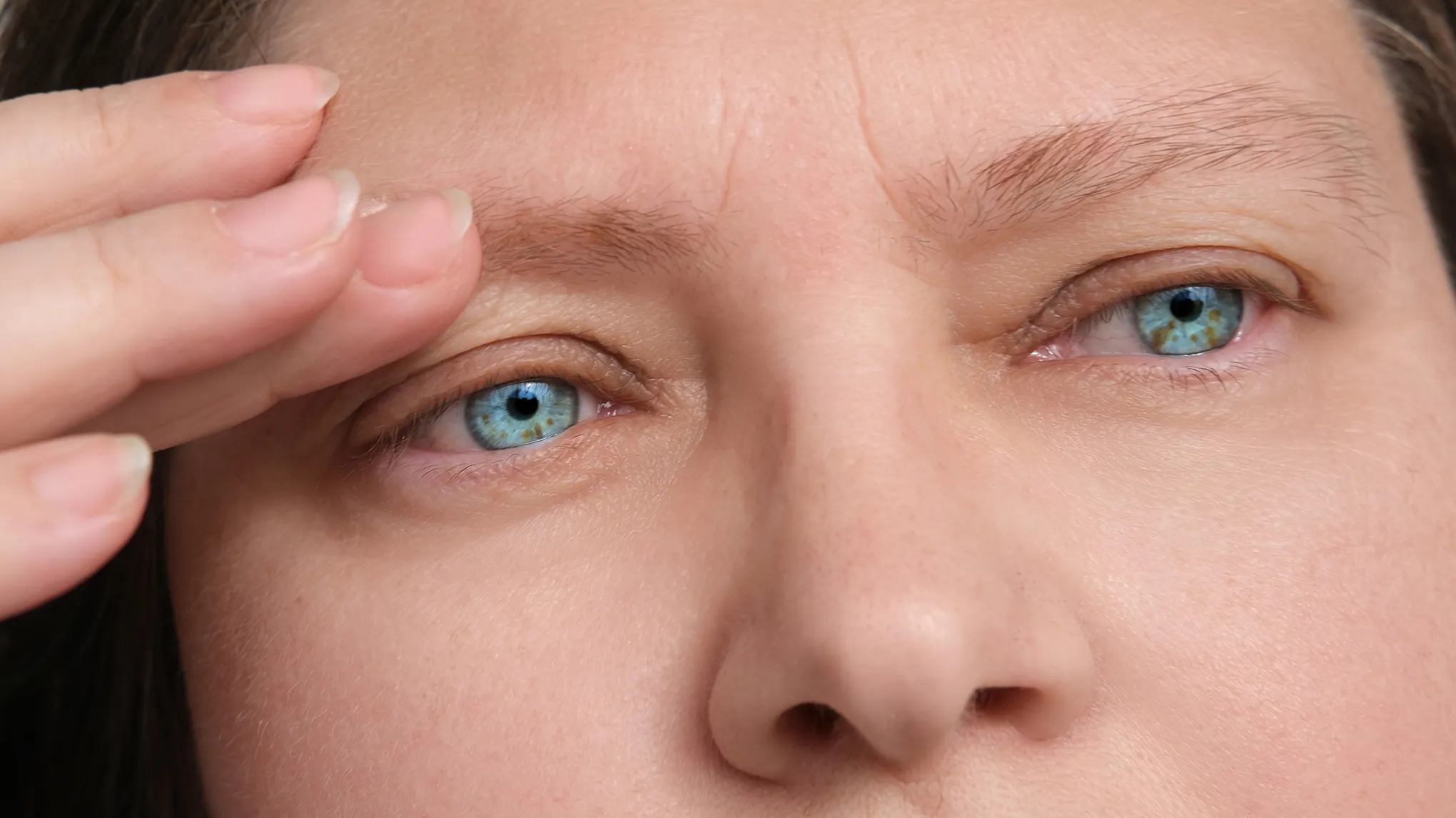
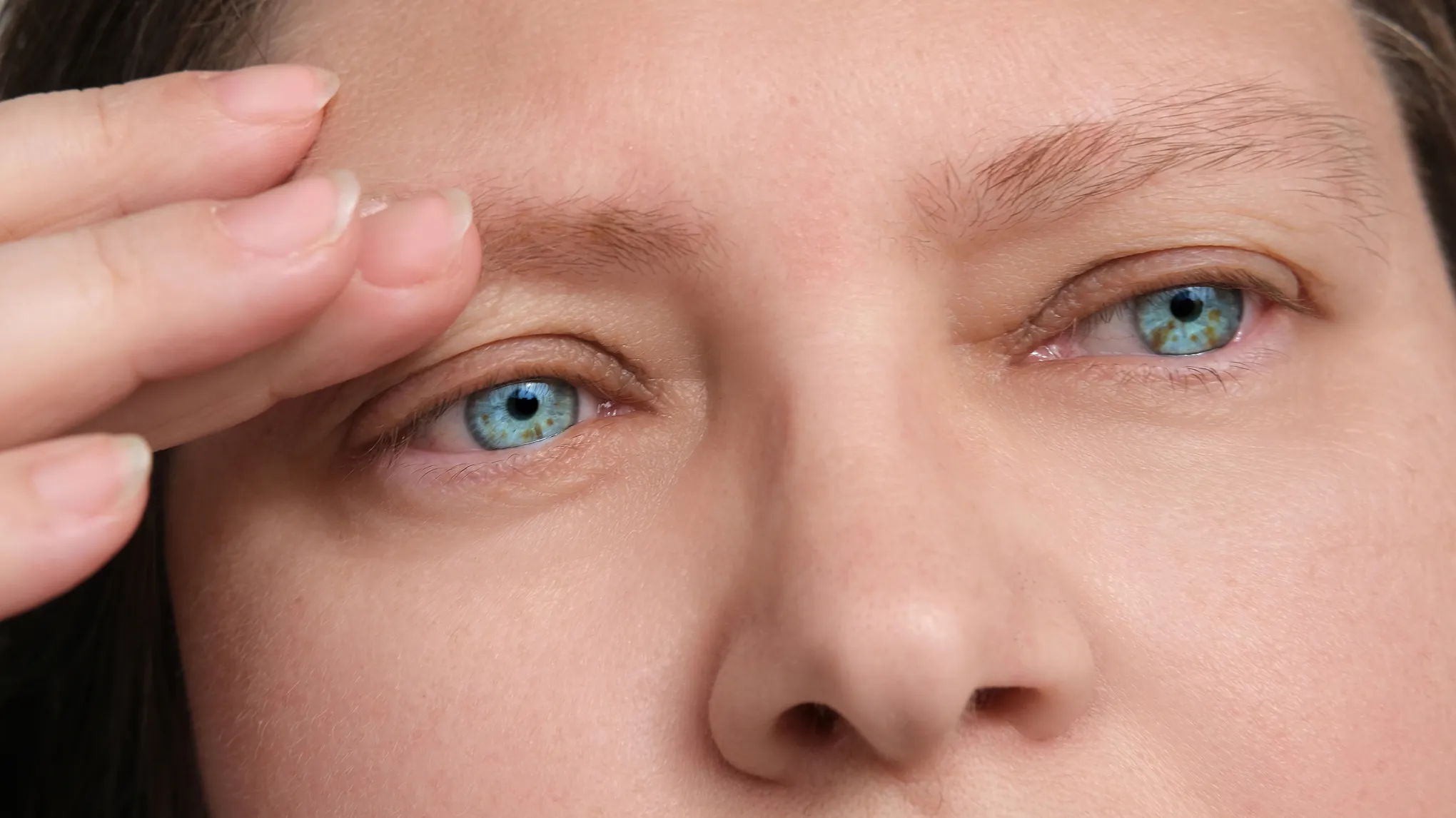
Easily Remove frown wrinkles and create natural, polished portrait photos with Evoto.

Remove frown lines Naturally with Evoto
Before
After
Upload Image
* JPEG, JPG, PNG or WebP image allowed.
No image? Try one of these
Remove frown lines Naturally with Evoto
Upload Image
Free to try. Pro Editing at Your Fingertips.
Desktop
Buy Now
Buy Now

Powerful Remove Frown Lines Editor

Evoto AI frown line removal feature doesn’t just erase wrinkles - It gently softens them while preserving your skin’s natural texture for a smooth, realistic result.

AI Frown Line Detection & Removal

Evoto AI analyzes your facial structure and expressions to precisely detect frown lines. It targets the center crease with smart masking, smoothing wrinkles while keeping natural texture and expression intact.

Desktop
Remove frown lines
Remove frown lines
Before
After

Frown-Free, Texture-True.

Only smooths out frown lines while preserving your skin’s natural texture, brightness, and tone—so it never looks fake.

Desktop
Keeps natural skin texture
Before
After

Smooth Away Frown Lines with AI

Evoto reduces deep frown lines and refines the center crease to create a balanced, natural look. AI softens over-editing, preserving your expression while giving the skin a clean, polished finish.

Desktop
Remove frown lines easy Control
Before
After

Forehead Wrinkles with One Simple Slider

Evoto’s “Forehead Wrinkles” tool removes both frown lines and horizontal forehead wrinkles with a single slider. The AI automatically detects the crease area, smooths the texture, and keeps your expression natural. Achieve polished, clean skin in just one click!

Desktop
Simple Sliders to Smooths frown and forehead lines in Photo
Before
After

Still on the fence?

Experience unparalleled face editing with AI-driven precision, ease of use, and free access.

Desktop
  • Remove frown lines for portraits

    AI Forehead Wrinkle Remover

    Detect and soften fine lines and deep creases in seconds, while keeping surrounding skin texture intact.

  • Smooth Frown Lines to Pro-Level Results

    Pro-Grade AI Precision

    Trained AI wrinkle models deliver high-def, natural-looking frown line smoothing—matching the quality of professional retouchers.

  • Natural Skin Editing App

    Live Preview Results

    Evoto’s wrinkle fixer displays live before-and-after previews, so you can avoid over-smoothing and ensure the forehead’s natural contours are preserved.

  • Remove frown lines

    Custom Presets

    Save your preferred wrinkle removal intensity and mask adjustments as a preset, then recall it instantly in any new project

Do More with Evoto AI

From professional skin retouching to color grading and more, we’ve got you covered.

How to Remove Frown Lines Photos with Evoto

Desktop
Photo Import Interface
1.Import a Portrait Photo234

Open the Evoto AI Photo Editor (available on Mac, Windows and iPad), then import a portrait photo into the interface or click “Create Project”.

  1. 1. Import a Portrait Photo

    Open the Evoto AI Photo Editor (available on Mac, Windows and iPad), then import a portrait photo into the interface or click “Create Project”.

  2. 2. Open the Wrinkle Tool

    In the toolbar’s “Portrait Retouching” panel, click on “Facial Wrinkles” to access the forehead wrinkle removal sliders.

  3. 3. Adjust The Slider

    Move the “Forehead” slider to the right to soften wrinkles. Stop when the result still looks natural.

  4. 4. Save The Photo

    Confirm the edits from B|A mode. Then, click “Export” to save the skin retouched photo to your device.

Desktop

Faster Edits, Finer Control.

Transform your photos with Evoto AI Frown Wrinkle Remover today. Available for Windows, macOS, and iPadOS.

Desktop

FAQs

  • Can this feature entirely remove frown lines?

  • How do I use the adjustment slider?

  • How naturally does Evoto’s frown lines removal feature work?

  • Can I adjust the strength of the frown lines removal?

  • Can I save my Frown lines settings as a preset for batch editing?

  • What file formats are supported by Evoto AI Photo Editor?

  • How do I compare before and after in Image?

  • Can I apply the same settings to multiple photos at once?

  • Can I use the same tool on crow’s-feet or other fine lines around the eyes?

  • Can I target only part of the forehead wrinkle area—like the center crease?