
Newborn Photography Editing with Evoto

Capture the innocence. Deliver perfection. Evoto helps newborn photographers edit faster, softer, and more naturally, without hours of manual retouching.

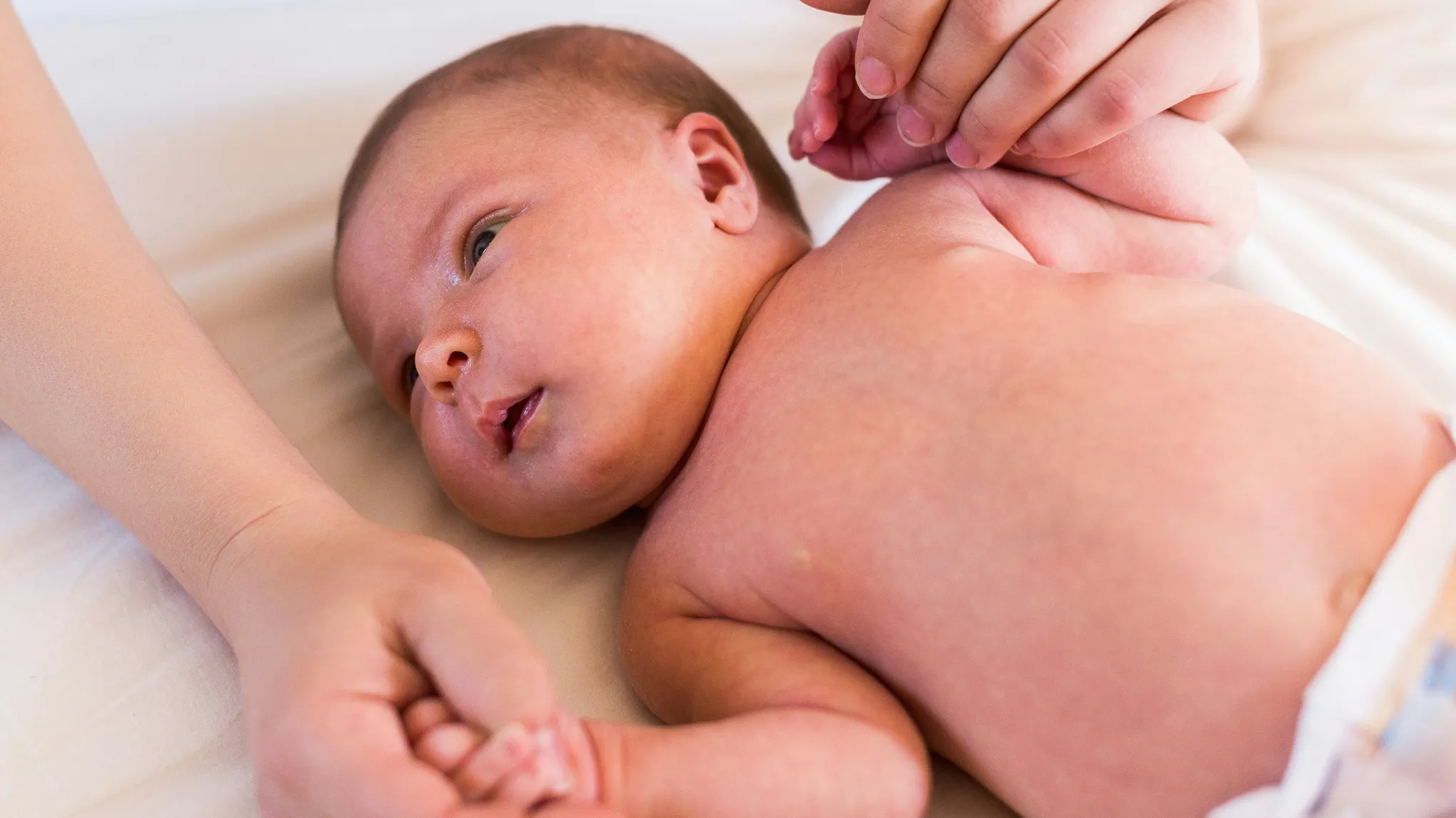
Newborn baby before skin retouching, showing minor baby acne and redness on the cheeks.
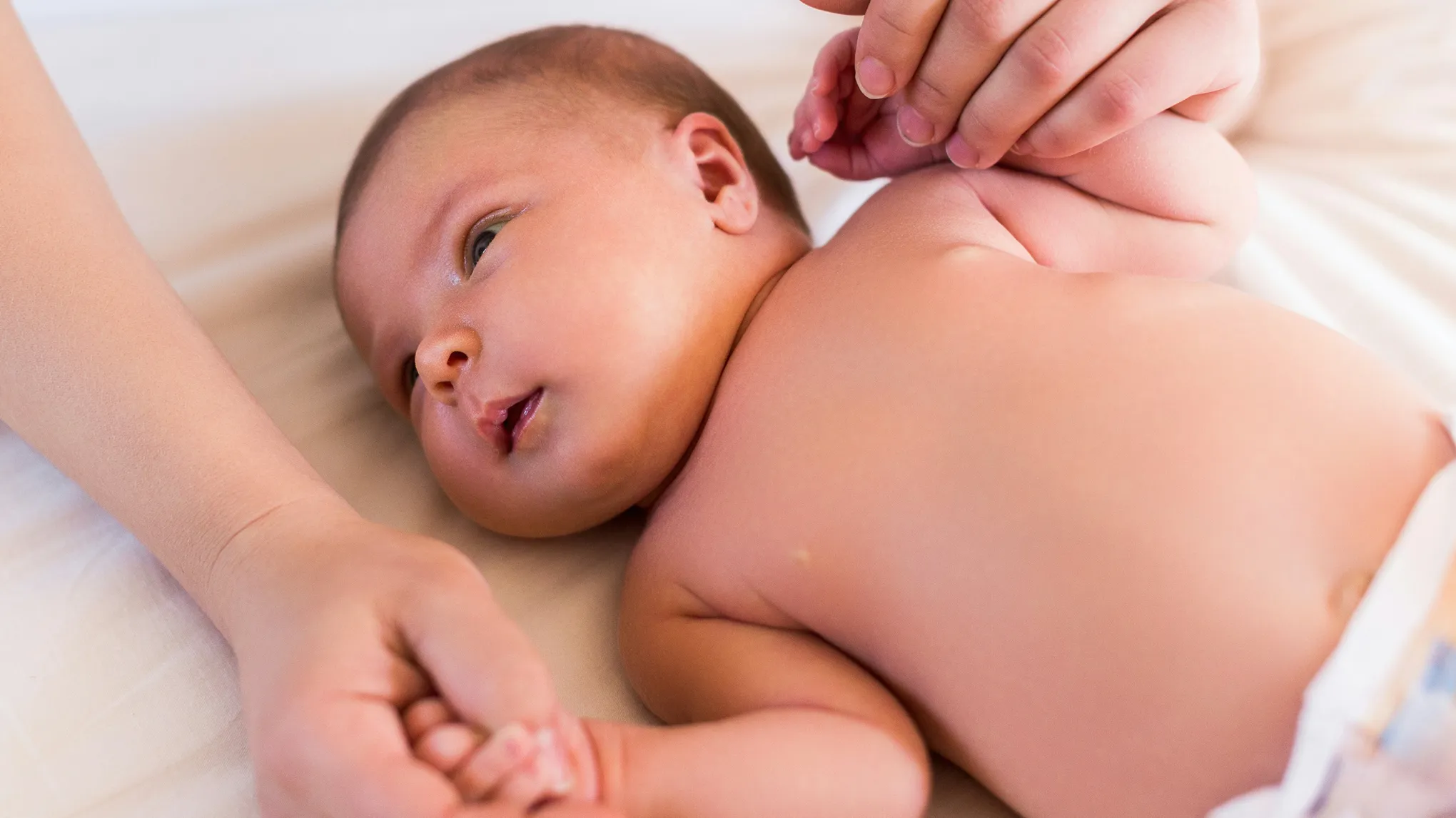
Gentle newborn photo retouch result: baby's skin is smooth and clear while preserving all natural texture, pores, and features.
Before
After
Upload Image
* JPEG, JPG, PNG or WebP image allowed.
No image? Try one of these
Newborn baby before skin retouching, showing minor baby acne and redness on the cheeks.
Newborn baby before retouching, showcasing visible facial eczema and dry, irritated skin patches.
Newborn photo showing underexposed, dark lighting and cool, unflattering color tones.
Upload Image
Free to try. Pro Editing at Your Fingertips.
Desktop
Buy Now
Buy Now

Turn Newborn Sessions into Dreamy Galleries

Smooth skin, fix tones, and edit entire galleries in minutes, while keeping every image natural and timeless.

Smart Portrait Retouching for Every Family Member

Whether you’re capturing a newborn, siblings, or a full family portrait, Evoto’s AI intelligently detects each person’s age and applies tailored retouching. Smooth skin naturally, remove baby blemishes, balance tones, and enhance features while preserving authentic textures. Deliver polished, true-to-life family portraits effortlessly.

Desktop
newborn photo blemish removal for flawless baby skin
newborn photo blemish removal for every family members
Before
After

Precision Color Control for Natural-Light Sessions

Newborn shoots often rely on window light or mixed indoor sources, and conditions can shift in minutes. Evoto’s advanced color adjustment tools and baby-friendly presets let you correct color casts, fine-tune white balance, and keep delicate skin tones consistent across a full gallery—delivering accurate, true-to-life color with the soft look parents love.

Desktop
Newborn photography color correction with natural skin tones
Before
After

AI Background Editing for Newborn Photos

Capture your newborn session anywhere and perfect the scene in post. Evoto’s backdrop changer, remover, and refinement tools clear distractions and keep every delicate strand and soft contour intact, delivering a polished, studio-grade finish—no tedious masking, no lost detail.

Desktop
Newborn photo background removal and editing for studio-quality portraits
Before
After

Batch Editing for Effortless Workflow

Newborn sessions generate dozens of images, and parents expect fast delivery. Evoto’s batch editing applies skin retouching, color adjustments, and custom presets to an entire gallery in one step. Make global tweaks or refine individual shots as needed—saving hours of repetitive work while keeping every image consistent and professional.

Desktop

WHY Photographers Choose Evoto for Newborn Photography

Powerful AI tools that help newborn photographers deliver flawless, consistent portraits faster.

Desktop
  • AI-edited newborn portrait with natural skin and timeless look

    Authentic Newborn Portraits Every Time

    No heavy filters, no fake skin—just clean, timeless edits parents will cherish.

  • Newborn photo gallery edited quickly with AI for faster delivery

    Faster Turnaround, Happier Families

    Deliver full galleries days faster with AI-powered editing, giving parents quicker access to their baby’s first portraits.

  • Batch-edited newborn photos with consistent color and skin tones

    Consistency Across Every Image

    Keep tones, colors, and skin edits perfectly matched throughout the session for professional, polished albums.

  • Photographer capturing newborn moments while AI edits photos in background

    More Time Behind the Camera

    Spend less time stuck in front of a computer and more time creating memories families will treasure.

Do More with Evoto AI Photo Editor

From professional skin retouching to color grading and more, we’ve got you covered.

How to Edit Newborn Photos in Evoto

Desktop
Upload RAW or JPEG newborn photos for editing
1.Import Your Session234

Upload RAW or JPEG files straight from your camera.

  1. 1. Import Your Session

    Upload RAW or JPEG files straight from your camera.

  2. 2. Apply Adjustments or Customize with Presets

    Smooth skin, fix tones, and balance lighting instantly. Or use or create newborn-friendly presets for your unique style.

  3. 3. Edit Entire Galleries at Once

    Apply consistent edits across hundreds of photos with Evoto’s batch editing—goodbye to hours of repetitive work.

  4. 4. Export & Deliver

    Share polished galleries parents will love—faster than ever.

Desktop

Faster Edits, Finer Control.

Transform your photos with Evoto newborn photography today. Available for Windows, macOS, and iPadOS.

Desktop

FAQs

  • What makes Evoto ideal for newborn photo editing?

  • Can Evoto handle batch editing for large newborn sessions?

  • Does the AI support infant-specific retouching?

  • How do I keep color consistency across the whole newborn shoot?

  • Will my photos stay in full resolution after editing?

  • Can I save my own newborn editing presets?

  • Is Evoto suitable for both RAW and JPEG files?

  • How fast can I edit a full newborn session?

  • Is my client data and work secure?

  • Is there a free trial?