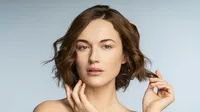
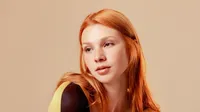
Add stunning makeup filters online to photos with just a click. Evoto AI Makeup Editor perfects photographers’ workflow on portrait, boudoir, headshot, selfie, and more!
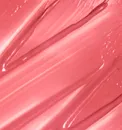
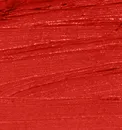
Control lip makeup to find the perfect and matching lipstick color, texture, brightness, and more. Define and accentuate lips to reinvent the smiles in photos.
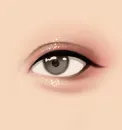
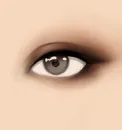
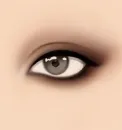
Adjust eye-makeup with saturation, luminance, dimensionality and eye beauty filter options. Recede or pop the eye depth to revive the vibrant eye area.
Add 20+ popular full makeup presets or 80+ partial beauty filters to photos. Refine every detail from eyebrows, eyeshadow, and eyeliner to blush, contour, and lipstick.
Import photos from camera or file directory. AI will automatically analyze the facial features before the beauty retouching.
Go to “Portrait Retouching” panel and navigate to “Makeup” tab. Move the sliders to adjust makeup looks you need. Or click to apply the beauty filters.
Batch select other photos with the same character traits and click “Sync” to save the “Makeup” edits. The beauty filter will batch apply the edits to selected photos.
Click “Export” to save the beauty retouched photos in formats of RAW, TIFF, PNG or JPG.
1. Import Portrait Photos
Import photos from camera or file directory. AI will automatically analyze the facial features before the beauty retouching.
2. Add Makeup to Photo
Go to “Portrait Retouching” panel and navigate to “Makeup” tab. Move the sliders to adjust makeup looks you need. Or click to apply the beauty filters.
3. Apply Makeup Edits in Bulk (Optional)
Batch select other photos with the same character traits and click “Sync” to save the “Makeup” edits. The beauty filter will batch apply the edits to selected photos.
4. Save Photos to Device
Click “Export” to save the beauty retouched photos in formats of RAW, TIFF, PNG or JPG.
Does Evoto AI support different skin tones for beauty filters?
A
Absolutely! Our beauty filter adapts seamlessly to all skin tones, ensuring a natural and flattering look.
Q
Can I customize the intensity of the makeup applied with this AI tool?
A
Yes, with the AI makeup filter you can adjust the intensity for each makeup feature, from subtle enhancements to bold transformations.
Q
Is the makeup retouched by AI beauty filter realistic in photos?
A
The AI beauty editor uses advanced AI technology to apply makeup that looks incredibly natural and photorealistic in photos.
Q
How does the AI beauty editor ensure the makeup fits my facial features accurately?
A
Evoto Beauty Editor uses AI facial recognition to precisely detect and adapt to your unique facial features, ensuring perfect makeup placement.
Q
Can I apply makeup to only specific features using this AI Makeup Photo Editor?
A
Yes, our beauty editor allows you to selectively apply makeup to individual features such as lips, eyes, or eyebrows to suit your preference.
Q
What types of makeup can I apply with Evoto AI Beauty Filter?
A
With this beauty filter, you can apply a full AI makeup filters including foundation, eye makeup, lipstick, and more, all tailored to your look.
Q
Is this AI Beauty Editor suitable for both beginners and professionals?
A
Definitely! Our AI beauty photo editor is designed to be user-friendly for beginners while offering advanced features that professionals will appreciate.
Q
Does the makeup editor offer options for both everyday and glam makeup looks?
A
Yes, the makeup photo editor provides a versatile range of makeup styles, from daily wear to more dramatic, glam looks, all easily customizable.
Q
How quick is the makeup application process with AI?
A
The makeup application with AI is almost instantaneous, allowing you to add lipstick, mascara, eyeshadow, blush, and more to photos and view your new look in seconds.
Q
Why should I choose Evoto over traditional makeup applications?
A
Our AI Beauty Filter offers a mess-free, precise, and customizable makeup application experience, making it superior to traditional methods.
Last updated: 2025-04-02. Reviewed by: Evoto Product Team. Results may vary depending on image quality, lighting, subject pose, file format, and selected settings.