Free Export in Your Browser
Upload an image and download your split images directly in your browser. It’s completely free and requires no software installation.Seamless Instagram Grid
Turn one large image into perfectly aligned Instagram grid tiles. Create a seamless, connected look across your profile—no manual cropping required.Your Images Stay Protected
Your images are protected by Evoto’s privacy safeguards from upload to download. Evoto does not use your images to train generative AI models.Easy for Everyday Creators
No advanced editing skills required. Clear layout options and guided steps make it easy to split images, even if you’re new to photo editing.
Image Splitter Online for Grids and Carousels
Split one image into equal-sized, ready-to-share tiles with templates or custom rows and columns.
Preview your layout in Evoto, then download all your split images as a ZIP file.
Preview your layout in Evoto, then download all your split images as a ZIP file.
Rate this result
Upload Image
* JPEG, JPG, PNG or WebP image allowed.
Private processing · Preview without signing up
No image? Try one of these
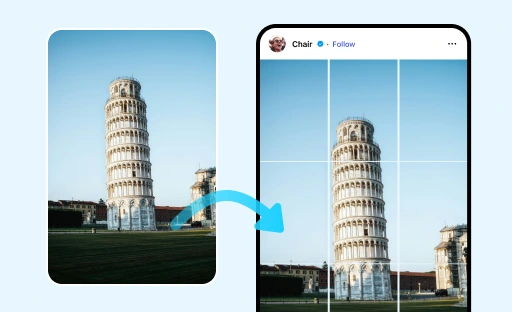
Split Images Your Way with Evoto Image Splitter
Evoto makes it easy to split your image into clean, evenly sized tiles in seconds.
When you need more space, you can use Image Extender to expand the canvas first.
Flexible Presets for Every Layout
Start with a preset, or set your own number of rows and columns from 1 to 10. Evoto automatically generates the layout, making it easy to split images for social posts, product displays, creative projects, and more.
Instant Image Splitting in a Few Clicks
Choose a layout and instantly split your image into equal-sized tiles. Evoto automatically handles the guides and spacing, so you can create clean, consistent image tiles without any manual work.
Preserve Image Quality with Batch Export
Split your image into equal-sized tiles while preserving image quality and detail. Download all your split images together as a single ZIP file for easy export.
Split Images for Social Media
Split your images into ready-to-share sets for Instagram Grid, Horizontal Carousel, and Vertical Stack layouts. Simply choose a layout, and Evoto automatically splits your image for you.
Why Choose Evoto Online Image Splitter?
Split images online with a simple workflow designed for everyday creators. Evoto helps you create polished social media layouts, download results easily, and edit with confidence.
Do More with Evoto AI Photo Editor
From professional skin retouching to color grading and more, we’ve got you covered.
How to split an image online
1.**Upload Your Image**234
Open Evoto Image Splitter and upload the image you want to split.
Read More About Evoto Image Splitter
FAQs
What is an image splitter?
Can I split an image for Instagram?
Is Evoto Image Splitter available online?
Can I choose the number of rows and columns?
Can I move the split lines by dragging?
Does the preview update before export?
Can I switch between Templates and Custom?
Can I split multiple images at once?
Does Image Splitter reduce image resolution?
Is Image Splitter free to use?
Last updated: 2026-09-23. Reviewed by: Evoto Product Team. Results may vary depending on image quality, lighting, subject pose, file format, and selected settings.