
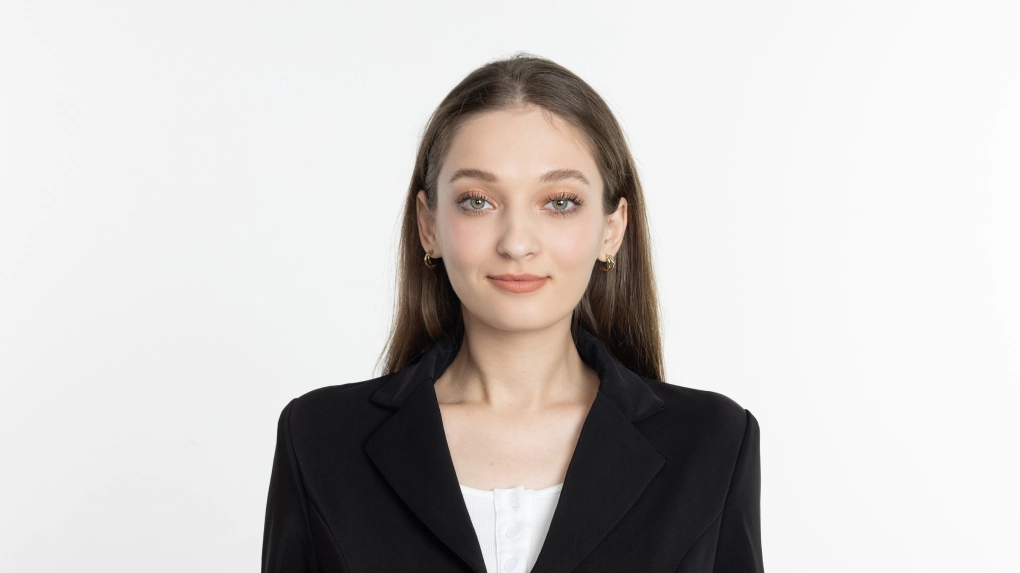
Facial Expression Changer for Neutral Smiles

Easily adjust smiles in any photo by transforming open-mouth expressions into a softer, more composed appearance that still feels authentic.

AI Smile Editing for Neutral Expressions_1_before
AI Smile Editing for Neutral Expressions_1_after
Before
After
AI Smile Editing for Neutral Expressions_1_before1
AI Smile Editing for Neutral Expressions_2_before2

Smarter Smile Editing for Perfect Portraits

Enhance every expression with AI-powered smile management. Adjust smiles from open-mouth to neutral quickly, perfect for any photo.

Professional Neutral Expression Editing

Transform awkward or overly casual smiles into composed, natural expressions. Achieve a closed-mouth look that enhances professionalism and suits formal photo standards.

AI Neutral Expression Editing- before
AI Neutral Expression Editing- after
Before
After

Natural Texture and Clarity Retention

Maintain authentic skin texture and facial details with Evoto’s high-fidelity rendering. Enjoy smooth transitions and lifelike lighting, without blurring or losing definition.

High-Quality Smile Refinement- before
High-Quality Smile Refinement- after
Before
After

Multi-Level Smile Adjustment & Manual Control

Choose from multiple intensity levels, from subtle smile softening to full mouth closure. Fine-tune results manually with brush control for the perfect balance.

Customizable Smile Adjustment

Optimized for Diverse Faces and Scenarios

Facial Expression Changer adapts to different facial features and expression styles, ensuring natural, consistent results for everyone.

Adaptive Smile Management- before
Adaptive Smile Management- after
Before
After

Why Choose Evoto Facial Expression Changer

Because natural smiles deserve precision, speed, and simplicity—all in one tool.

  • Accurate Facial Refinement

    Precision Facial Adjustments

    Control every detail, from subtle lip curves to nuanced facial features, with pixel-level precision to ensure every edit looks authentic.

  • Easy-to-Use Smile Editor

    Effortless Editing Experience

    Simple sliders and intuitive tools make complex retouching effortless, allowing smooth and fast adjustments without a steep learning curve.

  • AI-Driven Natural Smile Enhancement

    AI-Powered Algorithms

    The AI preserves facial balance, skin texture, tone and lighting for authentic, professional results ideal for fast Smile Editing.

  • Efficient AI Editing for Professionals

    Fast and Professional Workflow

    Edit multiple portraits in seconds using batch support and smart automation, ideal for studios and professionals with tight deadlines.

Do More with Evoto AI Photo Editor

From professional skin retouching to color grading and more, we’ve got you covered.

How to Use Facial Expression Changer

Upload Photo to Smile Editing
1.Upload a Photo234

Upload your photo to Evoto AI. The platform supports multiple formats, including JPG, PNG, TIFF, and RAW. Upload your desired image to get started.

  1. 1. Upload a Photo

    Upload your photo to Evoto AI. The platform supports multiple formats, including JPG, PNG, TIFF, and RAW. Upload your desired image to get started.

  2. 2. Navigate to Facial Expression

    Go to Portrait Retouching and open Facial Expression. In the Smile Generation module, select the “Neutral” option. You can choose from three intensity levels to apply the effect as desired.

  3. 3. Adjust Manually if Needed

    Use the manual brush to refine the mouth and surrounding facial features to prevent unintended changes.

  4. 4. Export the Photo

    Preview the final result and save or export your photo once the smile looks natural and neutral.

Faster Edits, Finer Control.

Transform your photos with Evoto Facial Expression Changer today.

Available for Windows, macOS, and iPadOS.

FAQ

  • How can I adjust or neutralize my smile in Evoto?

  • Can I whiten teeth and smooth smile lines together?

  • Will this feature reduce image clarity?

  • Does it work on people who are already smiling lightly?

  • What if the closed-mouth effect looks unnatural?

  • Will it affect other facial features?

  • How to handle mouths that are too wide or narrow?

  • Can it automatically detect all types of smiles?

  • Can it close mouths in group photos automatically?

  • Is this Facial Expression Changer suitable for professional retouching?