Create Stunning Bokeh Effects with Natural Depth of Field
Transform your photos with a beautiful bokeh effect that softly fades the background and brings your subject into sharp, eye-catching focus—creating images that look polished and professionally shot.
Apply Professional Bokeh Without the Expensive Glass
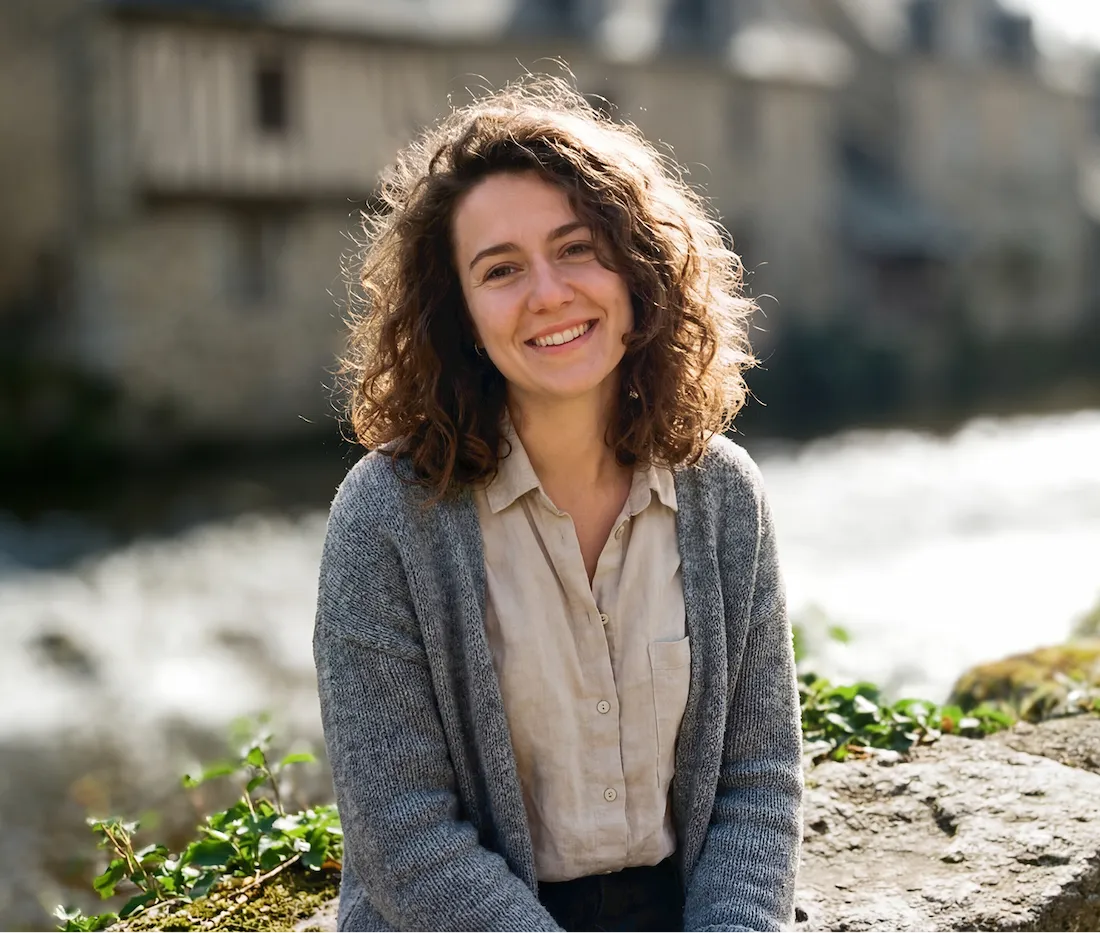
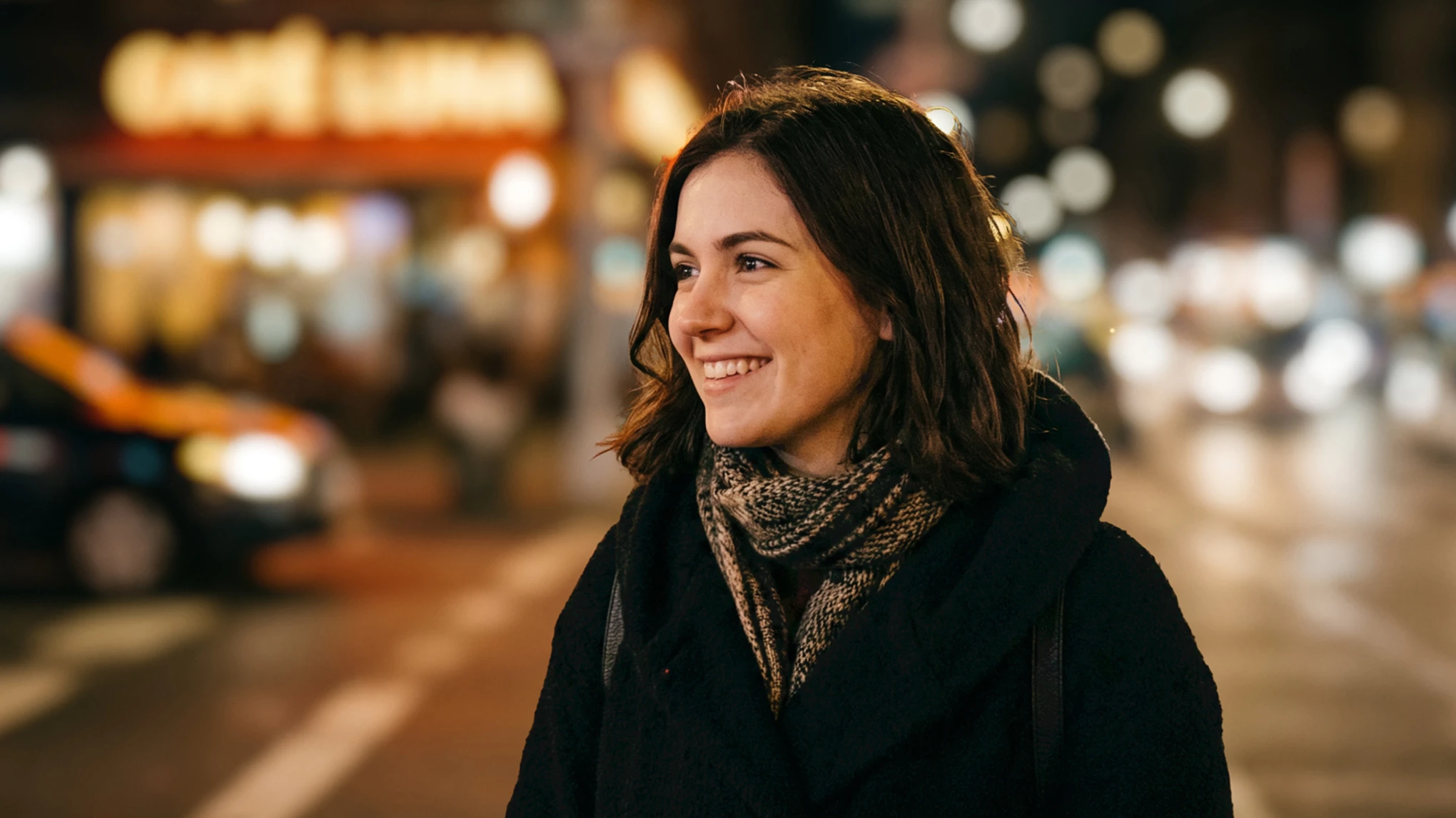
Get the coveted camera look instantly with Evoto’s precision AI. Our intelligent engine simulates real depth-of-field, transforming ordinary shots into cinematic masterpieces with a blurred background in just seconds.
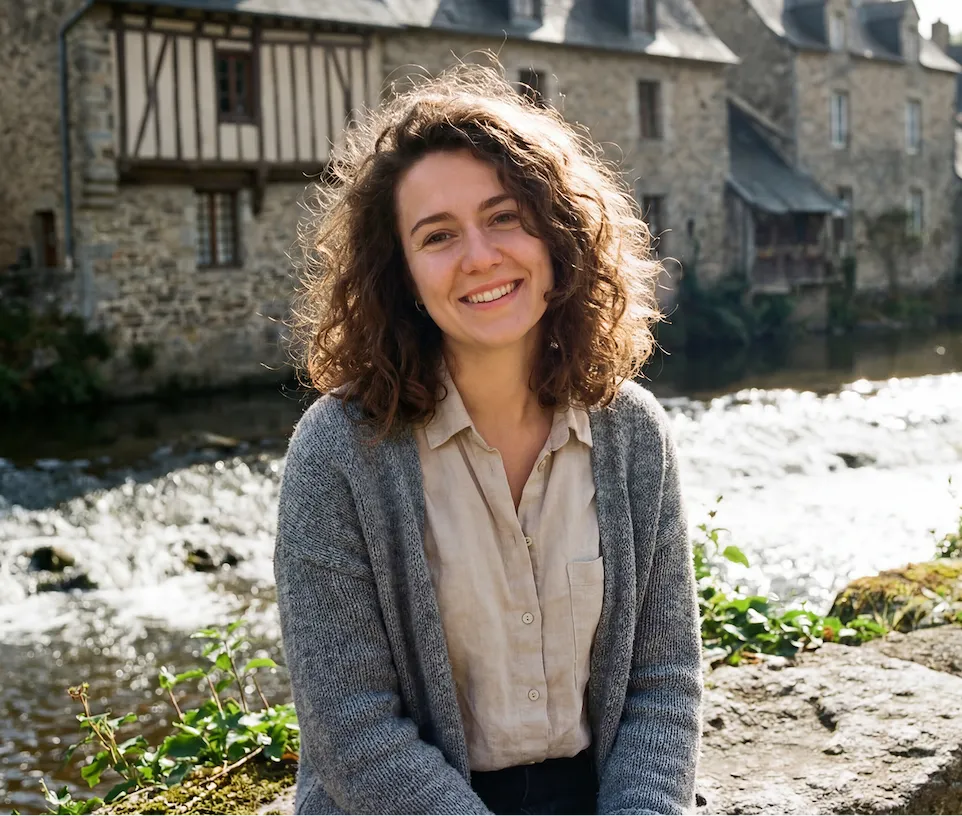
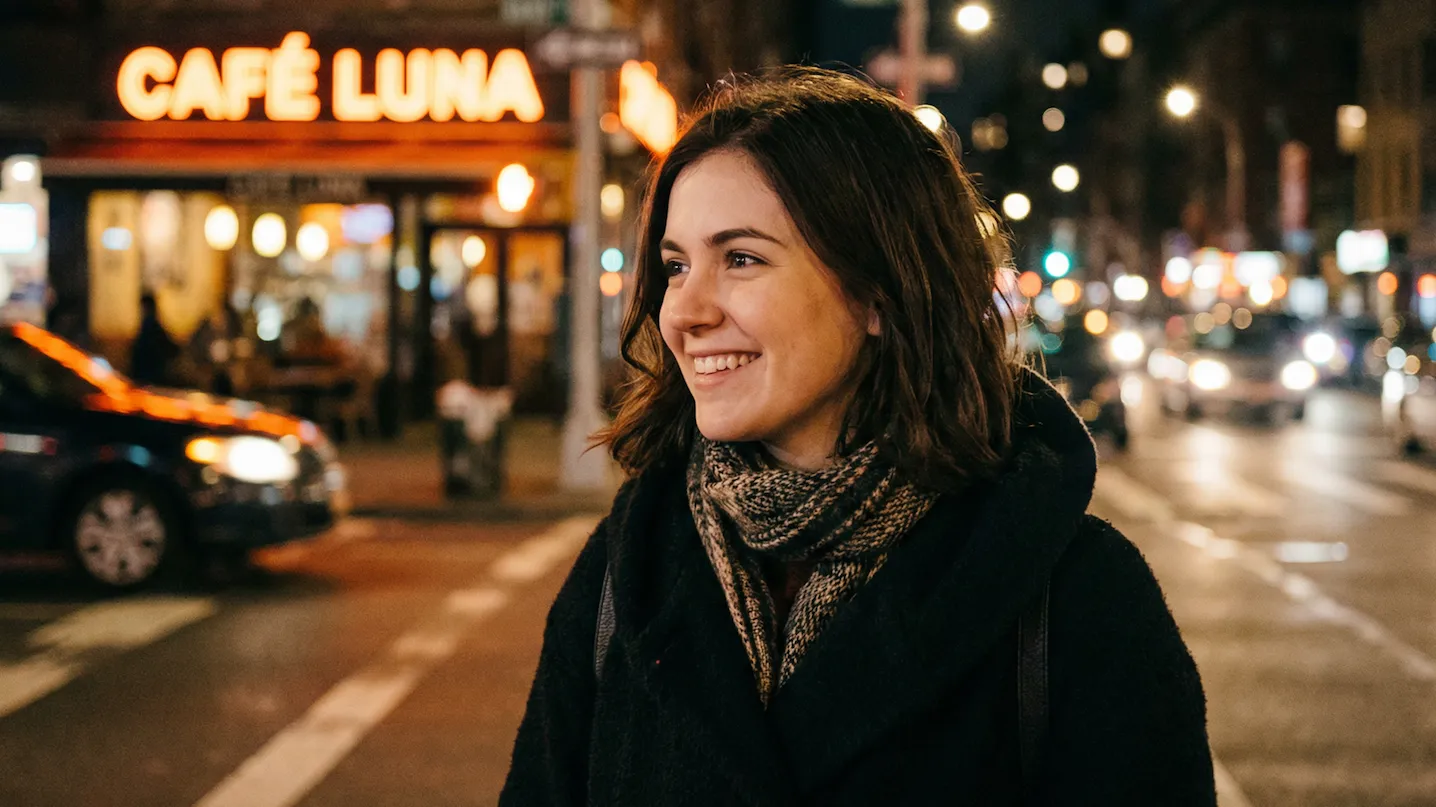
Effortless Subject Isolation
Say goodbye to manual masking. Our intelligent AI instantly separates subjects from the background with flawless accuracy, allowing you to focus on the art while we handle the technical precision.
Before
After
Iconic Lens Bokeh Styles
Replicate the signature look of world-class optics. Choose from a library of customizable bokeh shapes—including classic circles, and artistic pentagons—to match your creative vision and add a unique character to every shot.
Granular Bokeh Intensity Control
Fine-tune your background blur with professional precision. Adjust the intensity of both the blur depth and bokeh highlights to find the perfect balance between a soft, subtle glow and a bold, cinematic melt.
Authentic Optical Depth Mapping
Replicate the physics of a high-end lens. Evoto allows you to define your focus plane with precision, creating a natural, graduated blur that recedes realistically—achieving the creamy fall-off of a professional prime lens.
Why Choose Evoto Bokeh Effect Editor
Not all bokeh is created equal. Evoto uses smart AI to mimic professional lens effects, giving you realistic blur, easy controls, and full privacy—all in one platform.
Advanced AI Technology
Harness the power of next-gen neural networks. Our advanced AI goes beyond basic filters, analyzing every pixel to deliver professional-grade results with unmatched precision.
Easy to Use
Professional editing made simple. With our intuitive interface, you can achieve complex bokeh effects in a single click—no steep learning curve or technical skills required.
Free Online Access
Experience premium features at zero cost. Add stunning bokeh effects to your photos directly in your browser—no expensive software or hidden subscriptions needed.
Secure & Privacy-Protected
Your privacy is our priority. We use industry-leading encryption to ensure your photos are processed securely and deleted automatically—your data stays yours.
Do More with Evoto AI Photo Editor
From professional skin retouching to color grading and more, we’ve got you covered.
Upload your photo and start editing instantly, whether it’s a DSLR or smartphone shot.
Evoto’s AI quickly detects your subject and adds a natural bokeh effect, making your background soft and your subject stand out instantly.
Easily adjust blur strength, pick bokeh shapes, and set focus to create the perfect, natural-looking effect.
Once you’ve achieved the perfect look, export your high-quality image in seconds.
1. Upload Your Image
Upload your photo and start editing instantly, whether it’s a DSLR or smartphone shot.
2. Instant AI Identification
Evoto’s AI quickly detects your subject and adds a natural bokeh effect, making your background soft and your subject stand out instantly.
3. Fine-Tune Your Photo
Easily adjust blur strength, pick bokeh shapes, and set focus to create the perfect, natural-looking effect.
4. Export
Once you’ve achieved the perfect look, export your high-quality image in seconds.
Faster Edits, Finer Control.
Transform your photos with Evoto bokeh effect editor today. Available for Windows, macOS, and iPadOS.
FAQs
Q
What is the bokeh effect in photography?
A
The bokeh effect refers to the aesthetic quality of the blur in the out-of-focus areas of a photo. It is commonly used to create a soft, dreamy background that helps the subject stand out.
Q
How do I create a bokeh effect in photos?
A
You can create a bokeh effect by using a wide aperture (such as f/1.8 or f/2.8), increasing the distance between the subject and the background, or applying background blur with photo editing tools.
Q
Do I need a professional camera to achieve bokeh?
A
No. While DSLR or mirrorless cameras with fast lenses can produce natural bokeh, you can also create the effect using smartphone portrait modes or AI photo editing tools.
Q
What is the difference between background blur and bokeh?
A
Background blur simply refers to an out-of-focus background, while bokeh specifically describes the artistic quality and appearance of that blur, often featuring soft light circles.
Q
What types of photos work best with bokeh effects?
A
Portrait photos, product photos, and close-up shots usually work best because the bokeh effect helps separate the subject from the background.
Q
Does the tool automatically detect the subject?
A
Evoto AI-powered editor can automatically detect the main subject in the image and apply the bokeh effect only to the background.
Q
Is the Evoto bokeh effect realistic?
A
Yes. Evoto AI-powered bokeh editors can accurately detect the subject and apply natural-looking background blur that closely mimics the depth-of-field effect produced by professional camera lenses.
Q
Can I add bokeh lights to my photos?
A
Evoto bokeh Effect editor allow syou to add decorative bokeh light effects such as soft circles.
Q
Can I adjust the focus area of the bokeh effect?
A
Yes. Evoto bokeh effect editor allow you to control the focus area by selecting or adjusting the part of the image that should remain sharp. This lets you keep your subject in focus while applying a smooth blur to the background.
Q
Is the online bokeh effect editor free to use?
A
Yes. Our online bokeh effect editor is free to use. You can upload your photo, apply a beautiful bokeh effect, and preview the result instantly—all directly in your browser without installing any software.
Last updated: 2026-07-29. Reviewed by: Evoto Product Team. Results may vary depending on image quality, lighting, subject pose, file format, and selected settings.