
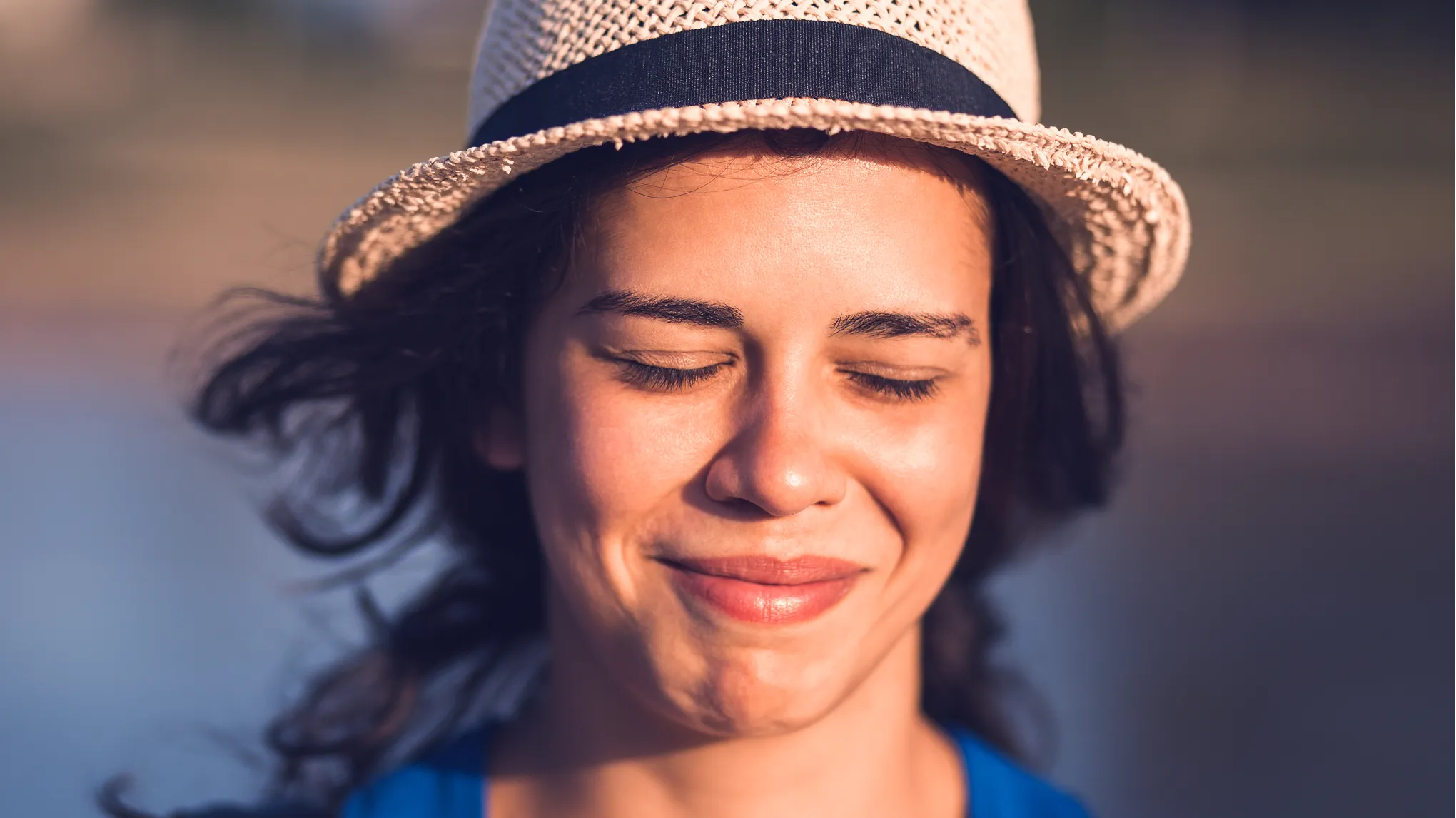
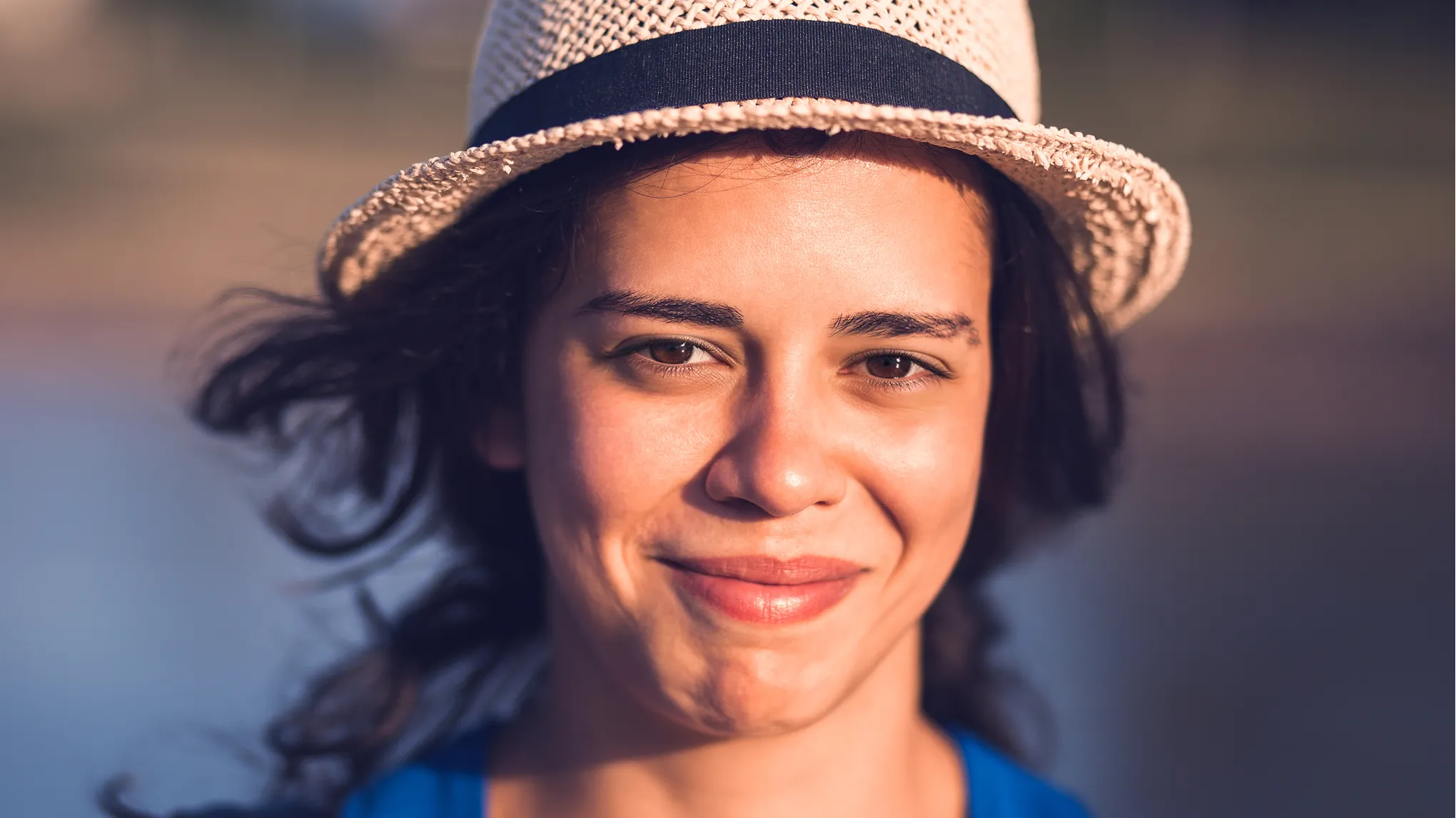
Open Closed Eyes in Photos with AI — Natural, Authentic & High-Res
Fix closed eyes in photos online with Evoto AI. Turn blinking eyes into natural, open gazes for selfies, portraits, and group photos—no manual editing required.
Evoto uses advanced AI to detect and open eyes in photos while preserving authentic facial features. Achieve studio-grade realism without manual editing.
One-Click AI Eye Opening
Open eyes in photos with a single click. Evoto automatically detects blinking or squinting—especially in bright sunlight when people can’t keep their eyes open—and restores a natural look instantly. Say goodbye to ruined shots and complex manual masking.
Upload 0-3 optional photos to help the AI restore eyes more accurately. Our AI learns the unique eye shape, pupil color, and eyelids from your references, ensuring the result looks exactly like the person, not a generic AI look.
Open eyes for multiple people within a single photo. Upload reference photos for the key people (up to 3 faces). AI automatically detects and binds them to the correct closed-eye faces, while enhancing others with our advanced AI eye model.
Evoto supports high-resolution uploads for reference photos. The AI preserves essential details like eyelashes and skin texture. Export your results in high quality for clean, sharp delivery. Ideal for professional portraits, albums, and large-format sharing.
Recover irreplaceable moments with the best AI eye opener. Combine reference-based accuracy with professional high-res output for results that feel truly authentic.
Effortlessly Rescue Precious Moments
From wedding photos to family gatherings and everyday selfies, blinking eyes often happen at the best moments. Evoto AI helps you recover these precious photos naturally without complex setup, saving you from the regret of a missed perfect shot.
Natural Results, No Fake "AI Eyes"
By learning from real reference photos, Evoto avoids the uncanny look common in many AI eye editors. It ensures the restored eyes match age, ethnicity, and expression for a completely natural look.
Pro-Grade Image Quality
Evoto preserves the original image quality and sharpness, delivering high-resolution results suitable for professional portfolios and client delivery.
Your Privacy, Fully Protected
Your memories belong to you. Evoto does not reuse your images for unrelated purposes, ensuring personal photos and important moments remain private throughout the editing process.
Import the photo with closed eyes into Evoto AI Eye Opener. The tool supports high-resolution formats like JPG, JPEG, PNG, WebP.
For the most natural result, upload 0-3 optional photos of the person with open eyes. You don’t need to select faces manually. The AI automatically identifies the subject and binds the reference to the correct person.
Evoto processes the image automatically. It uses the reference to generate natural, open eyes that match the person’s expression and eye color perfectly.
Preview the authentic result. Click "Export" to download your fixed photo in high quality, ready for sharing or printing.
1. Upload Your Photo
Import the photo with closed eyes into Evoto AI Eye Opener. The tool supports high-resolution formats like JPG, JPEG, PNG, WebP.
2. Add Reference Photos (Optional)
For the most natural result, upload 0-3 optional photos of the person with open eyes. You don’t need to select faces manually. The AI automatically identifies the subject and binds the reference to the correct person.
3. Let AI Work
Evoto processes the image automatically. It uses the reference to generate natural, open eyes that match the person’s expression and eye color perfectly.
4. Preview & Download
Preview the authentic result. Click "Export" to download your fixed photo in high quality, ready for sharing or printing.
Evoto creates a natural-looking result by matching the eye opening to the person’s face, lighting, and expression. If you upload additional photos, the open eyes result is more likely to stay consistent with the person’s real eye shape and gaze.
Q
How does AI eye opener work?
A
The AI detects faces in your image and identifies closed or blinking eyes. If reference photos are provided, Evoto automatically matches them to guide the eye-opening result. Without extra photos, the AI generates a natural correction based on learned facial patterns.
Q
Can it fix a wink or one eye closed?
A
Yes. Evoto can fix blinking eyes such as a wink, as long as the face is clearly visible. The AI will correct the closed eye and keep the overall expression as natural as possible.
Q
Do I need to upload a reference photo?
A
Uploading additional photos is optional. You can provide 0-3 images, and the AI will automatically match them to faces in the original image. Using clear reference images usually improves identity consistency for open eyes, especially in portraits and important photos.
Q
What are the requirements for image quality?
A
For best results, faces in both the original and reference images should be clear, well-lit, and not heavily blurred or blocked. Evoto supports high-resolution uploads, including images up to 12,000px on the longest side. The AI works better when eyes and facial features are visible.
Q
Does it work on group photos?
A
Yes. Evoto can open eyes for multiple people within a single photo. If you upload reference photos, the system can match them to up to three faces automatically. Other faces in the same image will be corrected using the default AI eye model.
Q
Is this AI eye opener free to use?
A
You can try fixing closed eyes for free with three generations per account. After the free uses are consumed, generating results will deduct credits. Exports are available in high resolution.
Q
What image formats are supported?
A
Evoto supports common image formats such as JPG, JPEG, PNG, and WebP.
Q
Is my photo data safe? Will it be stored?
A
Your photos are used only to generate your open eyes result and complete the editing process. Evoto does not reuse your images for unrelated purposes, helping keep personal photos private while you edit.
Q
How long does it take to fix closed eyes in photos online?
A
Processing usually takes about 1.5–2.5 minutes, and may vary based on image size and current processing demand. Once the result is ready, you can download it in high quality.