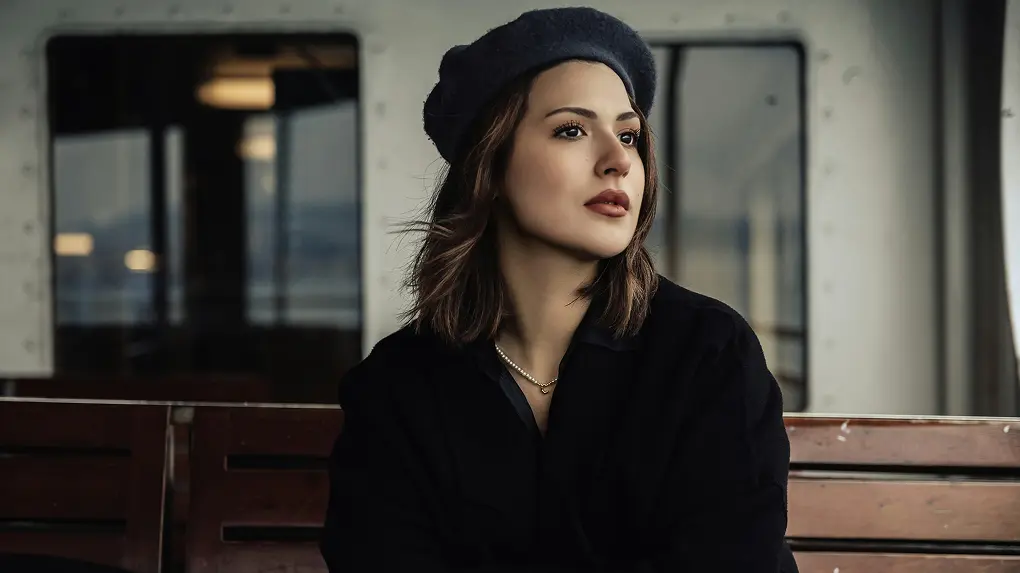
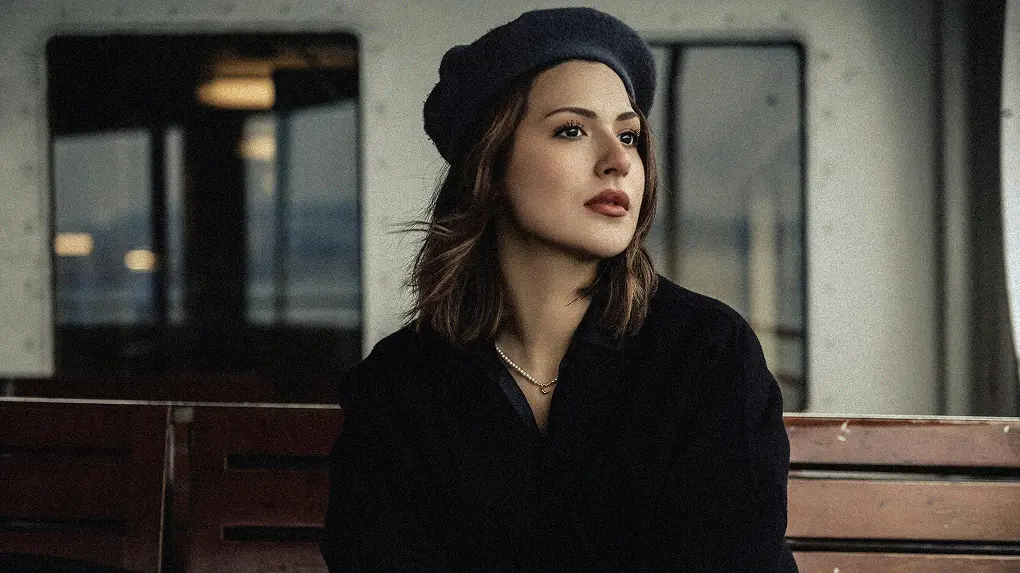
Create a vintage, cinematic look with realistic grain texture. Upload an image and use Evoto Grain Filter for free to adjust grain intensity, size, contrast, and color.
From subtle vintage texture to bold cinematic grit, Evoto gives photographers precise grain controls and reusable presets for consistent, professional edits.
Instant Grain Control
Use the grain intensity slider to add a soft film texture or a stronger gritty effect. Fine-tune the look for portraits, fashion shoots, wedding photos, and cinematic storytelling.
Adjust grain contrast and sharpness to shape how texture appears in highlights and shadows. Add depth to landscapes, street photography, low-light portraits, and moody editorial images.
Change grain size, roughness, opacity, and color to match your visual style. Use fine monochrome grain for a clean film look or coarse colored grain for expressive retro texture.
Start with preset grain styles or create your own by adjusting density, contrast, size, roughness, and color. Save the settings as presets to keep a consistent vintage look across a full photo session.
Add grain to photos in seconds, then refine the texture level to match subtle vintage edits, bold editorial portraits, or cinematic color grading.
Pro-Grade Details
Use controlled grain to add depth, soften overly digital sharpness, and give portraits or creative images a more natural film-inspired finish.
1-Click Grain Preset
Save your grain settings as presets and apply them across multiple photos to keep color grading and texture consistent throughout a session.
Real-Time Editing
Use AI grain filter for tethered shooting, previewing grain effects on-set with side-by-side comparisons to perfect the retro look before leaving the shotting location.
Import a photo that needs to add grain effect. Evoto supports image formats like JPG, PNG, RAW and TIFF.
Go to the "Color Adjustments" panel from the left side. Then, find and expand the "Grain" section to granulate the image.
Adjust the sliders to add grain filter to the image. You can change the grain intensity, size or roughness as needed. Save the grain filter as preset for more editing.
Click "Export" to save the grainy texture photo to your Windows, Mac OS or iPad OS device.
1. Import a Photo
Import a photo that needs to add grain effect. Evoto supports image formats like JPG, PNG, RAW and TIFF.
2. Find Grain Editing Section
Go to the "Color Adjustments" panel from the left side. Then, find and expand the "Grain" section to granulate the image.
3. Add Film Grain to Photo
Adjust the sliders to add grain filter to the image. You can change the grain intensity, size or roughness as needed. Save the grain filter as preset for more editing.
4. Save the Edited Photo
Click "Export" to save the grainy texture photo to your Windows, Mac OS or iPad OS device.
How do I prevent grain from making my photos look pixelated?
A
Keep the grain size in proportion to the resolution of your photo. For high-resolution images, use smaller grain sizes, and avoid over-increasing the intensity, which can cause artifacts.
Q
What’s the difference between film grain and digital noise?
A
Grain is artistically controlled (think intentional texture), while noise is random - Evoto Grain Filter tool make noise visual into stylized grain.
Q
Can I adjust grain differently in shadows vs. highlights?
A
Yes, tune tonal range sliders to make grain crisp in bright areas and softer in dark zones, enhancing landscape depth.
Q
Can I use grain to create a Polaroid-like effect?
A
Absolutely. Adjust the grain texture and density to mimic the soft, nostalgic look of Polaroid film, perfect for personal or event photos.
Q
Is it possible to preview grain effects in real-time?
A
Absolutely. Our grain photo editor is ideal for on-set shooting, you can compare original and grainy versions side by side, refining the grain effect before finalizing your shot.
Q
Can I create my own unique grain filters?
A
Yes, customize grain density, contrast, size, and color to craft personalized filters. Save these settings as presets for future use in fine art or event photography.
Q
Can I use grain to enhance black-and-white portraits?
A
Absolutely, increase grain roughness in monochrome edits to evoke classic darkroom aesthetics in headshots.
Q
How do I achieve a "gritty" old film look?
A
Increase grain size and roughness, pairing with contrast boosts for high-impact editorial or film stills.
Q
What image formats are supported for adding grain?
A
The grain photo editing tool accepts common formats like JPG, PNG, RAW, and TIFF, ensuring flexibility for various photography workflows.
Q
Can I add grain to a photo without affecting the existing color grading?
A
Yes, most grain filter tools are designed to be applied independently of color grading. With our grain photo editor, you can adjust the grain's opacity and blend modes to make sure it complements, rather than disrupts, the existing color palette.
Last updated: 2026-06-11. Reviewed by: Evoto Product Team. Results may vary depending on image quality, lighting, subject pose, file format, and selected settings.