Deliver impeccable and unmatched results for wedding photography editing with our AI Wedding Photo Editor!
Advanced Color Adjustment
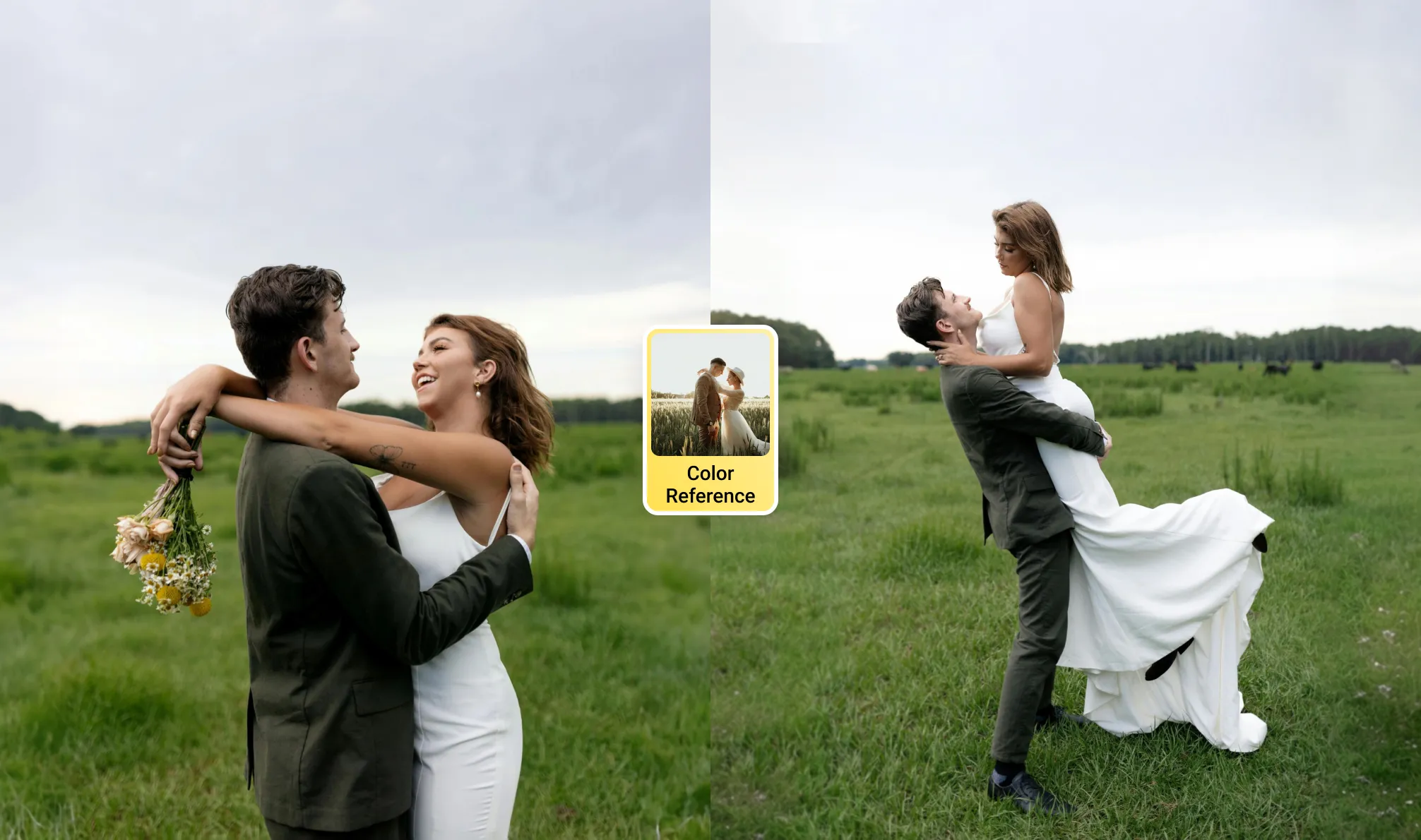
Achieve precise color consistency with AI Color Match, pre-designed wedding look presets for best wedding photography editing styles. Transform photos with filters tailored for different styles: Light and airy wedding photography, warm wedding photography themes and more.
Perfect wedding portraits and make couples stand out with AI-powered editing. Retouch wedding pictures while retaining natural effects with tools for skin smoothing, makeup enhancements, facial features adjustments, body reshaping and even retouching on clothing.
Revamp the photography wedding background with ease. Erase wedding backdrops or replace gloomy skies, eliminate background blemishes or remove distractions. Create professional wedding photo backdrops, including studio-style backdrops, dreamy skies for beach weddings and more.
Elevate your wedding photography workflow with tethered shooting capabilities. Connect DSLR camera directly to your computer or iPad to live view, edit and manage wedding photos. Effortlessly organize your shooting storage, preset file names and deliver high-quality results without delays.
Bring out vibrant greenery and ensure accurate couple's attire and skin tones. Evoto AI employs true-to-color adjustments to spruce up a traditional style wedding in an outdoor garden. Preserve timeless memories with natural color wedding photography edits.
Photojournalistic Wedding Photography
Enhance storytelling with subtle AI wedding photo editing tools for candid and emotional captures, like a couple’s intimate moments during their ceremony. Evoto AI highlights bright facial expressions, ensuring the story unfolded naturally through the images.
Fine Art Wedding Photography
Create artistic wedding photos with elegant retouching and wedding presets designed for dramatic effects. For instance, transfer color styles from reference images to a series wedding photos for artistic look, elevating the wedding’s luxurious vibe.
Dark and Moody Wedding Photography
Elevate photos with dark and moody tones, using AI Look filters that enhance atmosphere and depth. Our AI Wedding Photo Editor’s dark and moody presets amplified the contrast and enriched the color tones, creating images that were both atmospheric and captivating.
Best Wedding Photo Editor Ever
Evoto AI stands out as a cutting-edge solution for editing wedding photos, combining advanced technology with user-friendly tools to deliver stunning results.
Emily working on a vintage-inspired wedding used AI Color Match to enhance warm tones, desaturate certain hues, and add subtle grain, achieving a nostalgic yet polished look. It captured the retro vibe while keeping the couple’s natural beauty intact and saved hours of manual editing.
A destination wedding photographer faced an overcast sky during a beach ceremony but transformed the dull background into a stunning sunset using Evoto AI replacement tool. The uninspiring backdrop turned into a breathtaking sunset, matching the couple’s dreamy beach wedding.
During a pre-wedding studio shoot, a studio wedding photographer relied on tethering shooting for real-time adjustments, allowing clients to view and approve results on the spot. It streamlined the process of their wedding photography and thrilled the clients with instant photo live preview.
Michael, a photojournalistic photographer, used AI portrait retouching tools to subtly enhance skin tones, adjusted natural lighting, and balanced compositions while preserving the raw emotions in the wedding ceremony photos. It brought out the best in each shot without losing its charm.
Editing is crucial to bring out the best in wedding photos. It helps correct imperfections, align the images with the couple's style preferences, and ensure consistency in the final album. Proper editing elevates the overall quality and emotional impact of the wedding collection.
Q
What are the most popular styles of wedding photo editing?
A
Popular wedding photo editing styles include: - Light and Airy: Focused on soft tones and bright lighting. - Dark and Moody: Featuring deep contrasts and rich colors. - True to Color: Retaining natural hues for authenticity. - Retro or Vintage: Adding grain and faded tones for a timeless look.
Q
How can I remove blemishes or distractions from wedding photos?
A
Blemish removal is one of the beauty retouching and background editing tools in wedding photo editor. Evoto AI Photo Editor allows precise adjustments to erase facial imperfections like acne, wrinkles, or delete distracting elements in the background. It ensures that the subjects and scenes look flawless while maintaining a natural appearance.
Q
How does Evoto AI handle wedding photo backdrops?
A
Evoto AI offers tools for wedding photo background editing, including sky replacements, backdrop adjustments, and studio-quality pure background enhancements. These features make it easy to refine or completely transform backdrops for any wedding style.
Q
What file formats does Evoto AI wedding photo editor support?
A
Evoto AI supports a wide range of formats, including RAW, JPEG, PNG, TIFF, and more. This flexibility makes it suitable for photographers working with high-resolution files and ensures compatibility with most cameras and devices.
Q
Can I use tethered shooting with an iPad for wedding photography?
A
Yes, tethered shooting on an iPad is a convenient and efficient option for wedding photography. It allows photographers to connect their cameras directly to the iPad, enabling real-time image previews, quick edits, and instant adjustments during the shoot. This setup ensures you can review photos on a larger screen, manage storage, and deliver exceptional results while on-site.
Q
Are wedding-specific presets worth using?
A
Wedding presets are pre-designed settings that adjust colors, lighting, and tones in one click. They save time and ensure a cohesive look throughout the wedding album. Many photographers find them valuable for achieving professional results quickly.
Q
What is AI Color Match in wedding photo editing?
A
AI Color Match is a feature that allows you to get color tones from a reference image and apply similar color style to your wedding photo series. By analyzing the color palette, lighting, and mood of the reference, AI Color Match applies similar adjustments to your photos, creating a consistent and cohesive aesthetic. This tool is ideal for ensuring all images in a wedding album align with a specific style or theme, such as warm tones for a rustic wedding or soft pastels for a romantic vibe.
Q
What’s the difference between retouching and editing wedding photos?
A
Editing involves general adjustments like color correction and cropping while retouching focuses on detailed refinements such as skin smoothing, teeth whitening, and blemish removal. Both processes combine to create polished images.
Q
How does Evoto AI save editing time for photographers?
A
With features like AI-driven presets, batch editing, and automated adjustments, Evoto AI significantly reduces the time required to edit large volumes of wedding photos. Its intuitive tools enable photographers to focus on creativity while maintaining productivity.
Last updated: 2026-06-11. Reviewed by: Evoto Product Team. Results may vary depending on image quality, lighting, subject pose, file format, and selected settings.