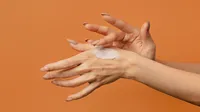
Your AI hand fixer for photo hand rejuvenation - Enhance photos in seconds for invisible-vein, smooth, and youthful hand looking. Get natural beauty effortlessly!
Effective Hand Vein Removal
Reduce or eliminate visible hand veins with AI Hand Vein Removal tool. Just move the slider to get smoother, youthful-looking hands in photos.
Our advanced AI image algorithms excel at detecting and reducing bulging veins in hands with precision, offering a natural and rejuvenated look in photos.
Volume Photos Management
Manage volume photos of weddings, schools, e-commerce, seniors, and more photography projects. Fast organize, cull, rate, and batch edit images!
Easy Retouching Controls
With simple sliders, simplify photography workflow from tough manual editing and enjoy pro-grade hand rejuvenation. Ideal for novices and professionals.
Import photos with bulging veins in hands or aging spots on hands. You can create a project in “Library” to organize the photos.
Go to “Edit” and find the "Portrait Retouching" panel on the right side. Expand the "Hand" section and adjust the “Hand Vein” slider to remove visible hand veins. Check the changes with the “B|A” preview icon.
Go to the “Blemish Removal” section for the “Body Blemishes”, and then remove spots or wrinkles with the slider. Find “Body Skin” in the “Skin Retouching” section. Move the sliders to smooth and soften the hand skin.
Click the “Export” button and set the image quality. Save the rejuvenated hand photos to your local disk.
1. Import Photos
Import photos with bulging veins in hands or aging spots on hands. You can create a project in “Library” to organize the photos.
2. Use Hand Vein Removal
Go to “Edit” and find the "Portrait Retouching" panel on the right side. Expand the "Hand" section and adjust the “Hand Vein” slider to remove visible hand veins. Check the changes with the “B|A” preview icon.
3. Rejuvenate Hand Skin
Go to the “Blemish Removal” section for the “Body Blemishes”, and then remove spots or wrinkles with the slider. Find “Body Skin” in the “Skin Retouching” section. Move the sliders to smooth and soften the hand skin.
4. Export the Photos
Click the “Export” button and set the image quality. Save the rejuvenated hand photos to your local disk.
An AI hand rejuvenation tool is a software feature that can remove hand veins, smooth, tighten, and soften hand skin in photos, making hands look younger.
Q
Can AI effectively remove hand veins in photos?
A
Yes, by using the sliders, you can reduce or eliminate visible hand veins in photos on this AI photo editor.
Q
How does an AI hand fixer work to rejuvenate hands in photos?
A
The AI hand fixer uses image algorithms to analyze hands in photos, such as veins, texture, and blemishes. Then, it applies corrective actions like vein removal, skin smoothing, and spot elimination to achieve a natural hand look.
Q
What techniques does Evoto use for hand retouching?
A
It employs frequency separation, dodge and burn, and skin smoothing to achieve natural-looking hand retouching.
Q
How does an AI hand rejuvenation tool compare to traditional photo-editing methods for hands?
A
AI hand rejuvenation tools are much faster, often achieving results in seconds with simple slider adjustments. They are also more consistent and better at maintaining a natural look compared to manual traditional methods like Photoshop.
Q
Can AI hand editor be used for professional photography projects like fashion shoots?
A
Absolutely. Professional photographers can use Evoto AI hand rejuvenation editor to enhance the appearance of fashion models' hands, making the overall images more appealing and polished. The editor is also suitable for editing on weddings, seniors, fine art, and more photo projects.
Q
How can I use AI to make hands look younger in photos?
A
Import the photos into the AI photo editor. Use the hand vein removal, skin-softening, and blemish-removal tools to enhance the appearance of hands, making them look more youthful.
Q
What image formats does this AI hand fixer support?
A
It supports various image formats, allowing users to work with RAW, TIFF, JPEG, JPG, and PNG files without loss of quality.
Q
What is the best way to use AI as an age spot remover for hands?
A
In the blemish removal section, start with a low slider value and gradually increase it while previewing.
Q
Is it possible to batch-process photos for hand rejuvenation using AI?
A
Yes, Evoto AI allows you to apply the same hand rejuvenation settings to multiple photos at once, saving time.
Last updated: 2026-06-11. Reviewed by: Evoto Product Team. Results may vary depending on image quality, lighting, subject pose, file format, and selected settings.